Important Australian passport photo requirements you need to know in 2025
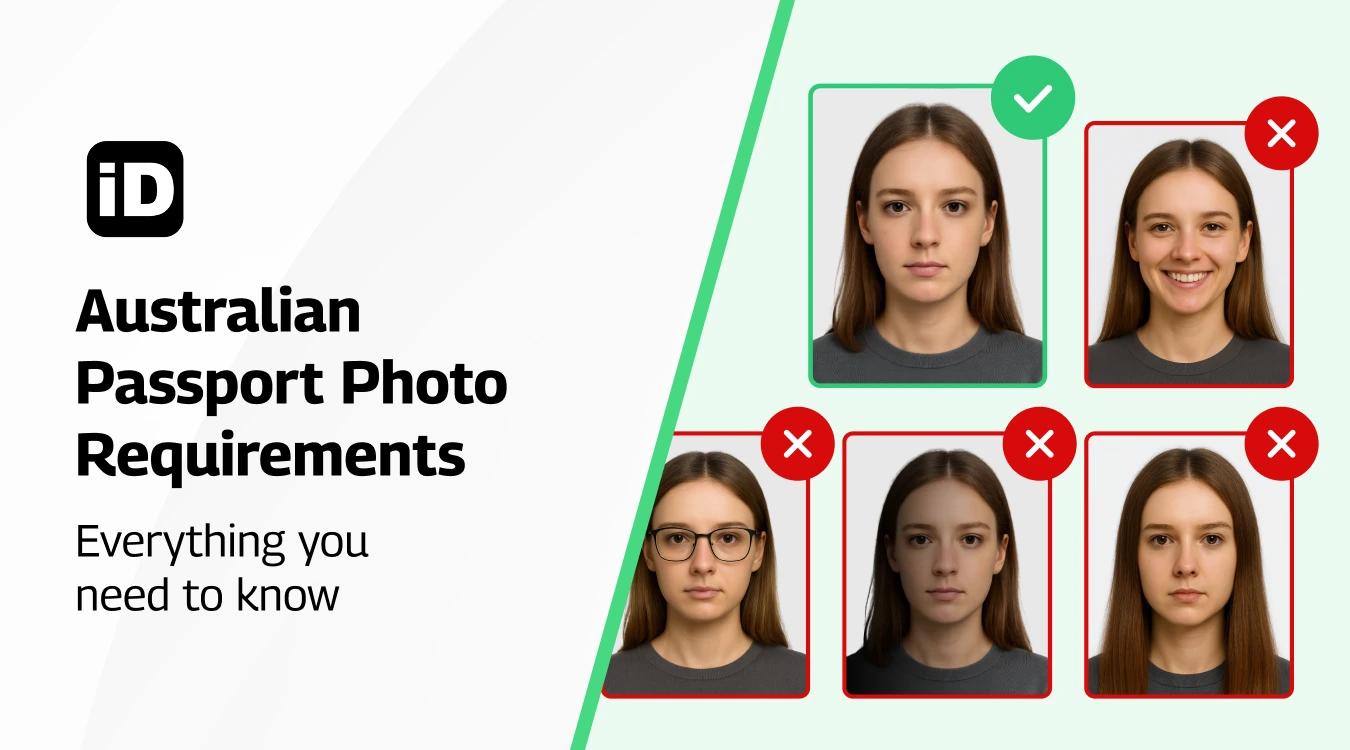
Quick read - for people in a hurry
- Australian passport photos must be 35–40 mm wide × 45–50 mm high with the head size between 32–36 mm.
- Background must be plain white or light grey, with sharp, natural, unedited photo quality.
- Keep a neutral expression, no smiling, no sunglasses, no hats (unless for religious/medical reasons).
- You can get photos at Australia Post, Officeworks, studios, or photo booths, but the Smartphone iD app is the cheapest and fastest way, with compliance guaranteed.
Think you don’t need a passport photo? Think again! In Australia, passport photos are required for all applications. Learn what Australian Passport photo requirements are and how to make sure your passport photo meets the standards. Photos that don’t meet the requirements may cause delays in your application process, so it’s important to know what they are!
Last update: 09/30/2025
Table of contents
1. Australian Passport Photo Requirements
2. Where to Get a Passport Photo That Meets the Australien Requirements
3. Take your Passport Photo at Home Using Your Phone
Australian passport photo requirements
Getting your passport photo right is essential. Let’s go step by step so you know exactly what the Australian Passport Office expects — from size to lighting, hair, and even what to wear.
Size and dimensions
The first thing to know is the size. An Australian passport photo must measure 35–40 mm wide by 45–50 mm high.
In inches, that’s about 1.38–1.57 inches wide by 1.77–1.96 inches high.
Your head size — from the bottom of your chin to the top of your crown — must be between 32 mm and 36 mm (1.25–1.4 inches).
If you’re submitting a digital photo, the size should be about 350 × 450 pixels at 600 dpi resolution. Any smaller or larger, and it won’t be accepted.
Background
The background must be plain white or light grey, with no patterns, textures, or objects visible. It should be completely clear and contrast with your clothing. Shadows on the wall are not allowed. If you’re taking it at home, use a white wall or hang a light sheet behind you.
Photo Quality
Your photo needs to be sharp, clear, and in focus. No blurriness, no pixelation, and no grain. The color must be natural and represent your true skin tone. Avoid using filters or editing software to “touch up” your face — no retouching of scars, wrinkles, or marks is permitted. The photo has to be printed on high-quality photo paper with a matte or semi-matte finish, never on an inkjet printer.
Head position and expression
Sit facing the camera directly, with your head straight and centered in the frame. Don’t tilt your head or turn it sideways. Keep a neutral expression — that means no smiling, no frowning, and no raised eyebrows. Your mouth should stay closed and your eyes must be open, looking straight at the camera.
Hair
Your hair must not cover your face or eyes. If you have bangs, make sure they don’t hang over your eyebrows. Long hair should be tucked behind your ears or pulled back so your cheeks and jawline are visible. The goal is for your entire face, from the chin to the crown, to be clearly shown.
Makeup
Makeup is allowed, but it should be natural. Avoid heavy foundation, glitter, or shiny powders that can cause reflections. Bright lipstick or dramatic eye makeup isn’t recommended either, as the photo must look like your everyday appearance. Think “fresh, natural look” rather than “glam photo shoot.”
Accessories and jewellery
Passport photos must be simple. Large earrings, shiny necklaces, or anything that reflects light should be avoided. Jewellery is fine only if it doesn’t hide your features or create glare. Headphones, hairbands, or any decorative accessories are not allowed.
Head coverings
Hats and head coverings are not allowed, except if they are worn daily for religious or medical reasons. If you do wear one, it must be plain and cannot obscure any part of your face. Your forehead, cheeks, eyes, and chin must all be fully visible.
Glasses
Wearing glasses is strongly discouraged, but if you must wear them for medical reasons, there are strict rules. The frames cannot cover your eyes, there can’t be any glare on the lenses, and tinted or colored lenses are not accepted. Sunglasses are strictly forbidden.
Clothing
Choose everyday clothes in darker or mid-tone colors so you don’t blend in with the light background. Avoid white or very light tops. Uniforms and camouflage clothing are not permitted. Clothes should be free of distracting logos, patterns, or offensive text.
Lighting
The photo must be evenly lit across your face and background. No harsh shadows, no glare, and no uneven brightness. Natural daylight works best, but if you’re indoors, place the light in front of you, not behind or above. The lighting should make your skin tone look natural and your features clearly visible.
Going the DIY route may seem like a daunting task, but there is an easy way to get Passport photos compliant with just one tap on your phone. The ‘Smartphone iD’ app can do all of this work for you in seconds!
With our app, you can be 100% confident that your Passport photo is in accordance with the Australian government’s standards. If it isn’t, then we’ll give you a full refund.
Australian baby passport photo requirements
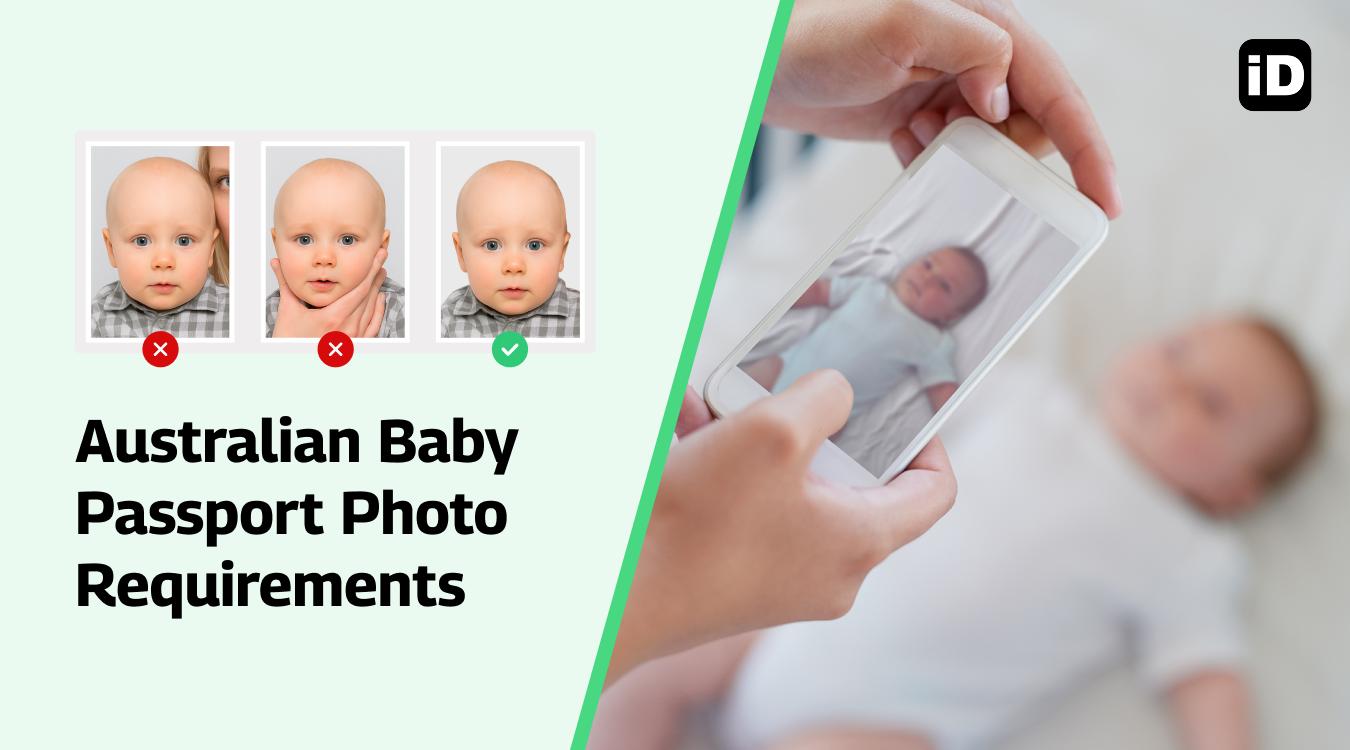
With the help of our app, you will feel like a pro when it comes to taking photos of your baby. All that’s required is your smartphone, and we’ve got everything else covered!
Get your baby’s passport photo ready! The Australian government has strict guidelines for what type of photos are required, so be sure to follow these rules.
For more details, check our complete guide on Australian baby passport photo requirements to make sure your little one’s photo is accepted the first time.
Where to get a passport photo that meets the Australian requirements
Taking your own passport photo is possible as long as you follow all the requirements set by the Australian Government. However, many people prefer to use trusted providers to ensure their photo will be accepted. Here are the main options available:
Kmart
You can print a 15 × 15 cm photo for just 80 cents. By uploading your correctly sized passport photo to Kmart, you can have it printed affordably. Just make sure the photo you upload already meets Australian passport standards, as Kmart does not check compliance.
Australia Post
If you need ID photos, head to Australia Post. They provide compliant photos for passports, visas, and other official documents at many locations across the country.
Officeworks
Officeworks offers compliant Australian passport photos and provides a certificate of compliance, giving you extra assurance that your photo meets the requirements.
Photo Booths
Some photo booths can produce compliant Australian passport photos, but they are harder to find these days. You may still see them in transport hubs, supermarkets, or shopping centres.
Photo Studios
Professional photo studios are another option. If you can book an appointment, they will usually provide high-quality, compliant passport photos. However, this is often more expensive than retail or app-based options.
Smartphone iD
Our Smartphone iD app uses AI, biometric analysis, and expert checks to guarantee your photo meets Australian Government standards. Every photo comes with a government approval guarantee and a money-back promise if it is rejected. The process is fast, secure, and can be done from the comfort of your home — no appointment or paperwork required.
With just a few simple steps, you can take your photo, have it verified, and receive it digitally or as printed copies shipped to your home.
Take your passport photo at home using your phone
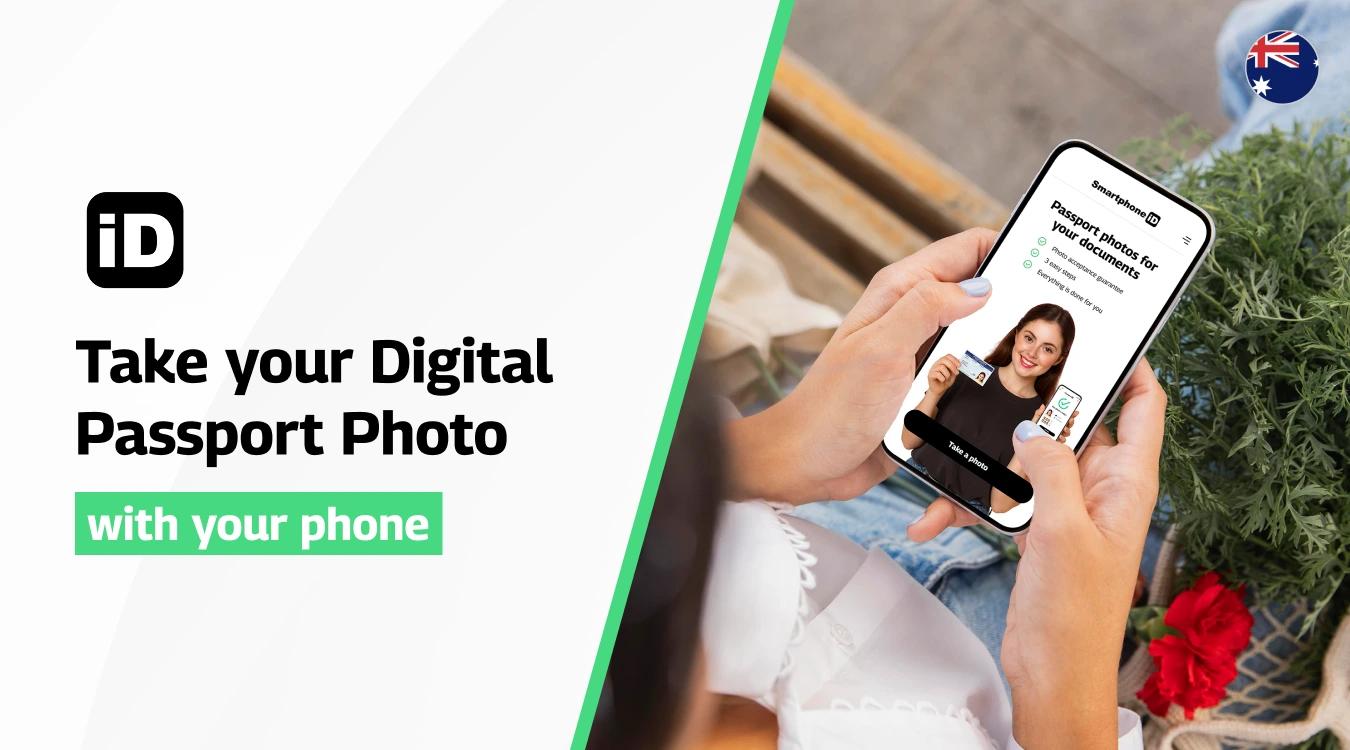
Imagine how convenient it would be to have an app that lets you take compliant passport photos using nothing but your phone! With the Smartphone iD Passport Photo App, available on the Apple App Store and Google Play Store, you can get 100% guaranteed photos in just a few minutes.
Everything you need is ready — just follow these simple steps to begin:
- Open the app and tap “Take a Photo.”
- Follow the in-app instructions to position yourself correctly. The app will guide you through the process.
- Select the country — in this case, Australia — so the photo is formatted to meet the official standards.
- Choose the document type (Passport, driver’s licence, visa, etc.).
- Once taken, your photo will be verified by AI technology and expert reviewers to ensure it meets the Australian Government requirements.
- Receive your approved photo digitally via email. You can either print it yourself or use our professional printing and delivery service for extra convenience.
Read More on passport photo tips in Australia
- Print Passport Photos in Australia: The Complete Guide
- Best 10 Passport Photo Apps in Australia
- All You Need to Know About Cheap Passport Photos in Australia
- The Surprising Cost of Passport Photos at the Post Office Revealed
Summary
It’s clear that completing a passport application without following the strict Australian photo guidelines can lead to rejection or long delays. That’s why it’s so important to carefully follow every requirement and double-check your photo before submission.
If you’re looking for a simple way to meet all the requirements and avoid mistakes, the Smartphone iD app is the best solution. The app guides you through every step and ensures your passport photo is 100% compliant — no need for expensive studios or special equipment.
Get started today with Smartphone iD and have your new Australian passport ready in no time!
FAQ
What do you write on the back of an Australian passport photo?
A guarantor must write: “This is a true photo of [your full name].” They must also sign it.
What is the required size for an Australian passport photo?
The photo must measure 35–40 mm wide by 45–50 mm high (about 1.38 × 1.96 inches). Your head must measure 32–36 mm from chin to crown.
Can I wear glasses in an Australian passport photo?
Glasses are strongly discouraged. If you must wear them for medical reasons, they cannot have tinted lenses, thick frames, or reflections that obscure your eyes. Sunglasses are never permitted.
Can I wear jewellery in a passport photo?
Small jewellery is allowed if it does not obscure your facial features or create glare. Large or reflective pieces should be avoided.
Can I smile in an Australian passport photo?
No. A neutral expression is required — no smiling, frowning, or raised eyebrows. Your mouth must be closed, and your eyes open and clearly visible.
Where can I get a passport photo in Australia?
You can have passport photos taken at Australia Post, Officeworks, some photo studios, and occasionally in photo booths at shopping centres. Alternatively, you can use the Smartphone iD app to take your photo at home and have it printed or delivered.
What is the best color to wear in a passport photo?
Choose darker or mid-tone clothing that contrasts with the light background. Avoid white or very light colors.
What is not allowed in a passport photo?
You cannot wear hats or head coverings (except for religious or medical reasons), large jewellery, or uniforms. Shadows, glare, and reflections on the face are also not allowed.
How do I know if my passport photo is acceptable?
The safest way is to get your photo checked before submission. With Smartphone iD, all photos are AI-verified and expert-approved to meet Australian government standards.
What happens if a passport photo is rejected in Australia?
You will be asked to submit new physical photos, which can delay your application.
Do you have to tuck your hair behind your ears in a passport photo?
No, it’s not required. Just make sure your hair does not cover your face or eyes.
Can my hair be tied back in a passport photo?
Yes. You can style your hair as you normally would, as long as your full face is clearly visible.
Can I take my own passport photo at home?
Yes, but it must meet strict requirements. For best results, use a passport photo app like Smartphone iD, which ensures compliance and offers a money-back guarantee.
How recent must an Australian passport photo be?
Your Australian passport photo must have been taken within the last six months. This ensures the photo accurately reflects your current appearance.
Sources
https://www.passports.gov.au/PhotoGuidelines


.bbc9bc36.svg)