What are Canadian passport photo requirements in 2025?
Quick read - for people in a hurry
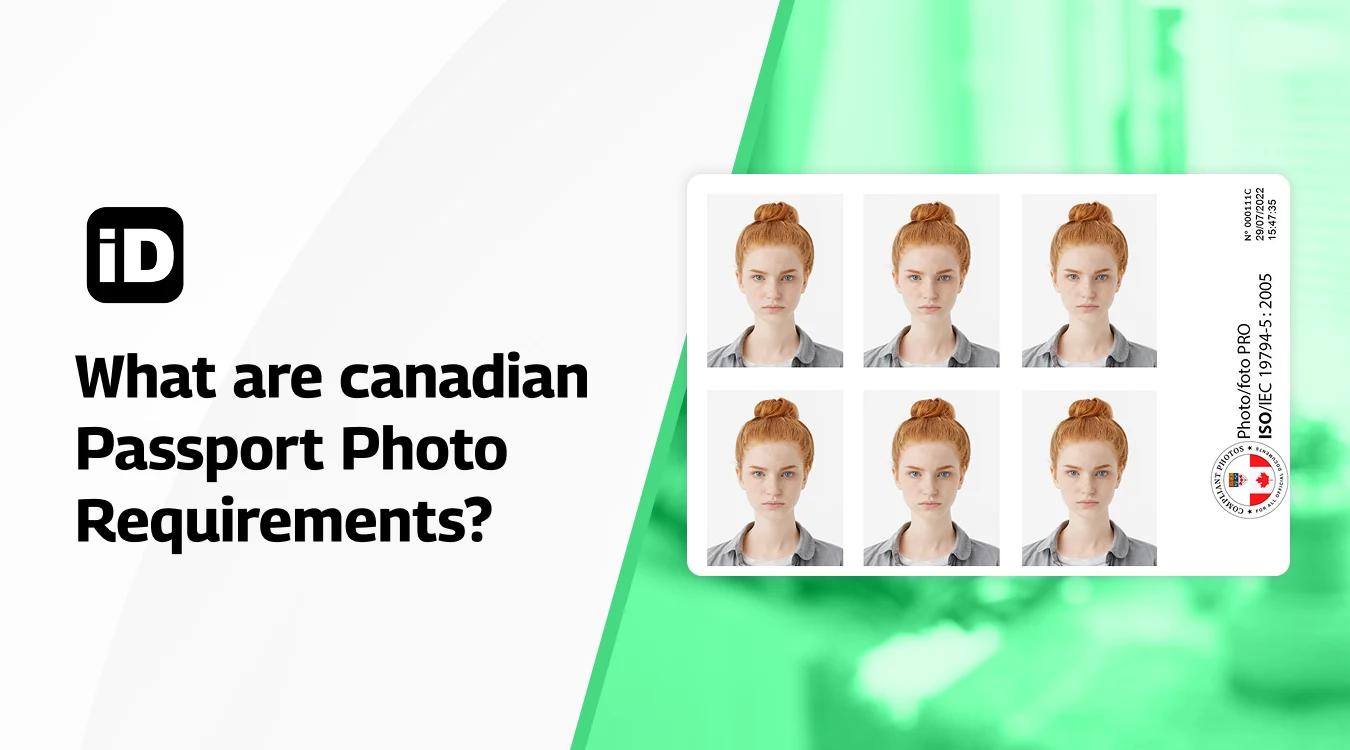
- Canadian passport photos must be 50×70mm, taken in the last 6 months, with a plain white background and a neutral expression.
- Glasses with thick frames, tints, or glare are not allowed; only head, neck, and shoulders should be visible.
- Use good lighting, no shadows, and minimal makeup.
- The Smartphone iD app can guide, check, and validate your photo to meet Government of Canada and ICAO standards, helping avoid delays.
There is a set of rules for passport photos at the national level that are often in line with those of ICAO (International Civil Aviation Organization). If you decide to create a photo on your own, be sure to specifically check national standards, as they might be stricter than those of ICAO.
Last update: 09/30/2025
Table of contents
1. What is the required passport photo size in Canada?
2. What are the international mandatory regulations for passport photo?
3. How to make successful passport photos at home?
4. Steps to get your Canadian passport photo with smartphone iD
What is the required passport photo size in Canada?
You need two photographs that meet the following specifications:
- 50mm (width) by 70mm (height)
- The face height needs to measure between 31mm and 36mm from chin to crown
What are the international mandatory regulations for passport photos?
The general rule is that a photo must be taken recently. The government of Canada states that a valid photo must be taken within the last 6 months to reflect your current appearance.
Lighting/Color
The photo should have a good balance between overexposure and underexposure. It should be high contrast, with no shadow on the face or in the background. The photo must be clear and in color, reproducing skin tones accurately.
Photo Quality
Photos must be of high quality (clear, without creases or folding lines). If you submit it in digital format, make sure that the file size is not too big or too small and that it has the appropriate resolution and image depth.
The photo must not be distorted in any way, such as barrel or compression artifacts. For printed photos, there must not be any creases or ink marks. Photos should be in clear focus, and digital alterations are not permitted.
Background
Your passport photo should have a plain white or light-coloured background. No objects should be visible within the background.
Head
Your head must be bare, without a hat, scarf, headband, or any other decorative object, and your hair must be seen. The photograph must show the top of your head to just below the shoulders with a little space around.
Hair and accessories
No visible accessories should be noticeable in your official photo. That includes barrettes, elastic bands, and other extras. If your hair is bothering you, tie it in a ponytail behind your head. It will not be visible in the photo.
Make-up
Only minimal make-up is allowed, as it can affect computerized and human facial recognition capabilities.
Eye direction and head position
The subject must face the lens, hold their head straight, and look directly into the lens. A neutral expression must be maintained with a closed mouth.
Face and eyes
The face must be clear. Eyes must be open. The aim is to recognize you as well as possible.
Glasses
Thick frames are prohibited in a passport photo. Glasses must not obscure the eyes; therefore, tinted glasses are prohibited. Note that there should also be no reflection on the glasses. Due to the high number of refused photos, we kindly ask you to remove your glasses when taking a photo with the Smartphone iD app.
Body
Wearing clothes is obligatory, and they cannot be uniform. The photo must show only your head, neck, and shoulders.
Click here to read the official document on the biometric passport photos by the ICAO.
How to make successful passport photos at home?
Our software respects the standards of ISO/IEC 1979465 and the ICAO (International Civil Aviation Organisation) that guarantees photo quality and conformity with all the requirements (format, face angles, brightness, resolution, etc).
- Choose the right location. Select a well-lit area with natural light if possible. Position yourself about 0.5 metres (1.5 feet) from the background and 1.5 metres (5 feet) from the camera.
- Set up a proper background. Use a plain, white or off-white background with no patterns or shadows.
- Open the Smartphone iD app, which can assist you in taking a compliant digital photograph, and choose the right template for the USA green card (permanent resident card).
- Position yourself correctly. Face the camera directly, looking straight ahead. Your photo must show your full face, with your head centered in the frame.
- Follow the Canadian photo requirements. Keep your eyes open and visible (glasses are allowed only if they don't cause glare). Maintain a neutral expression with your mouth closed—no smiling. Your photo must have been taken within the last 6 months.
- Remove obstructing accessories. Take off hats, scarves, or decorative clips unless required for medical or religious reasons. Religious headwear is permitted if it doesn't obscure your face.
- Avoid taking a selfie. Ask someone else to take the photo for you, or use a tripod to ensure proper distance and framing that meets the standards.
- Take multiple shots. Capture several photos and choose the one that best meets the photo requirements.
- Submit for validation. The photo is sent to be reviewed by our expert who will ensure that the picture complies with the Government of Canada requirements for passport applications.
Note
Remember, if your passport photos are not accepted, the process of getting an official document will be prolonged. So let our team make sure that your photo conforms with the national and ICAO standards, and spare yourself the unease about a possible refusal!
Steps to get your Canadian passport photo with Smartphone iD

To take a Canadian passport photo at home, you can use the Smartphone iD app. Here are the steps to follow:
- Use our Passport photo Maker Smartphone iD from the Apple or Google Play Store, or conveniently by clicking the "Take a Photo".
- Open the app and select the country “Canada” and the document “ID card”
- Place your smartphone on a stable stand and make sure the lighting is even. A plain white wall can serve as the background for your photo.
- Follow the instructions of the app to position your face correctly. The app will guide you through its advanced real-time artificial intelligence system to center your face, adjust your expression, and check that your hair and ears are visible.
- Take your photo yourself with your phone’s rear camera for the best quality. You can take as many tries as needed to get the right shot.
- The app automatically removes the background and allows you to preview it.
- Once you are satisfied with your photo, order it directly from the app.
- Our experts and our artificial intelligence system will examine your photo under a microscope to ensure that it meets the criteria required by the Colombian authorities.
- Once your photo is validated, it is 100% guaranteed. You will receive it instantly by email.
Sources
https://www.canada.ca/en/immigration-refugees-citizenship/services/canadian-passports/photos.html
Learn more
- Passport photo Size Canada The Ultimate Guide (the proper size to get approved)
- What to Wear for a Passport Photo: The Complete Guide
- How Long are Passport Photos Good for?
- What You Need to Know About your Passport Photo Makeup!
- A Guide on How to get Digital Passport Photos in Canada
- Where to Print Passport Photos in Canada the Ultimate Guide
- Cheap passport photo services in Canada
- Passport photo price in Canada
- Baby Passport Photo: Top Tips to Get It Right the First Time


.bbc9bc36.svg)