Digital passport photo code in the UK
Quick read - for people in a hurry
- What it is: unique, secure code that links a digital passport photo to your online passport application.
- How it works: Get a photo from a certified provider. Receive a unique code (e.g., photo.co/yh8Y6K2s). Enter the code in your online application.
- Benefits: Faster, more secure, higher acceptance rates ( 90–98% vs lower rates for self-uploaded photos).
- Providers: Photo booths, photographers, or apps like Smartphone iD.
Tired of hunting for passport photos? The UK's Digital Passport Photo Code lets you get a digital photo and secure code online or in booths, simplifying the application process.
Last update: 24/09/2025
Table of Contents
1 Digital ID Photo Codes: Simplifying Passport Application in the UK
2 What are the benefits of ID Photo Codes?
3 How to use IDPC in three simple steps?
4 Create UK compliant photo + photo code with your smartphone
Digital ID photo codes: simplifying passport application in the UK
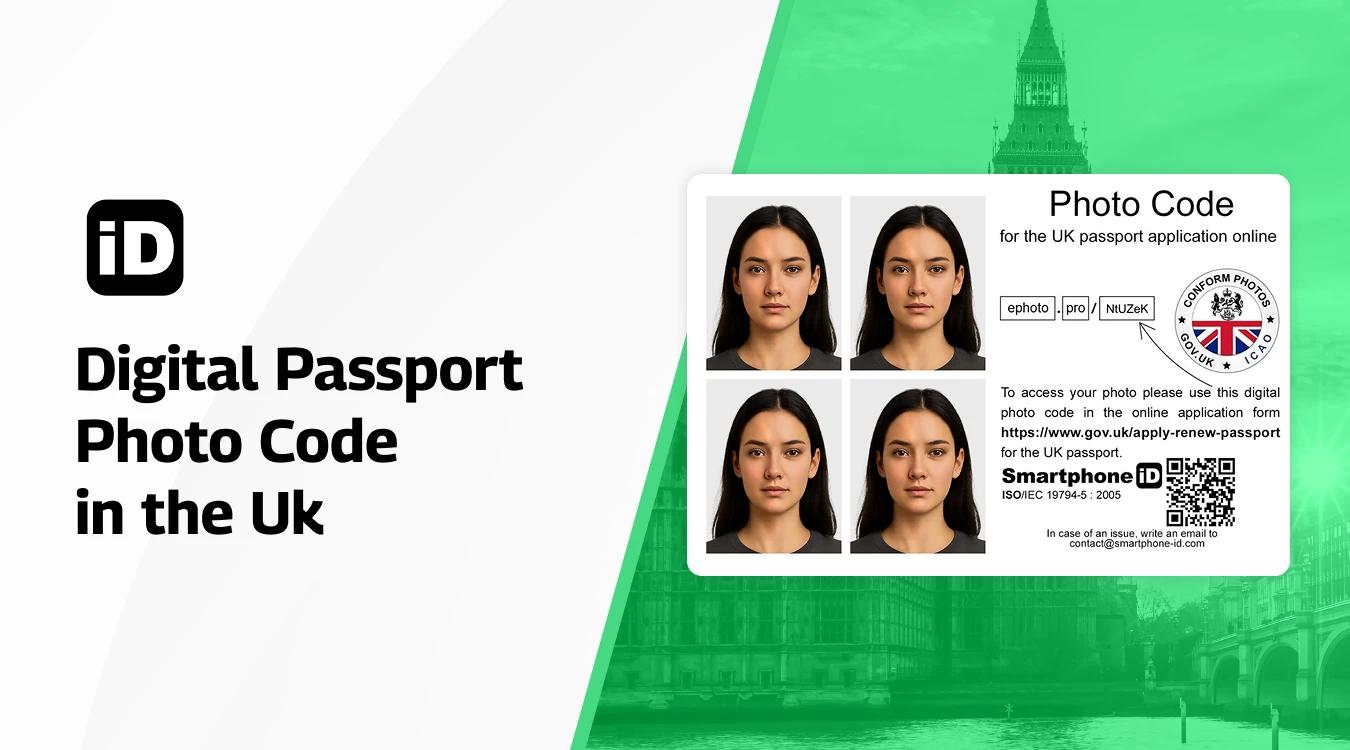
If you haven't already heard about the digital ID photo codes (IDPC), here's what you need to know. In the past, British citizens could only provide photos stored on their own devices or have professional photographers provide their photos on memory sticks, CDs, or via email.
The new system allows shops or booths to offer customers secure codes with their physically printed pictures.
Like identity documentation in general, an ID photo code is unique to each citizen. You can see it either printed on your photo receipt, or a professional photographer provides it to you with your digital or printed photos.
You can use this code during the online application process. Once you have entered the code, you should see your photo appear. His Majesty’s Passport Office will still check each photograph to ensure that it meets the specifications. This does not mean that the photo is automatically approved.
The professional photographer acceptance rate is 98%, while for photo booths, it is 90%.
You can also use the Smartphone iD app to get a digital or printed photo with a photo code. First, your photo will be verified and approved by a trained expert to ensure a 100% acceptance rate, and then sent to your email or doorstep, whichever you prefer.
What are the benefits of ID photo codes?
- If you need to attach an ID photo to a passport application, IDPC is faster and more secure than any other method.
- It is cheaper to apply online than to do it at the Post Office.
- Photo code providers must comply with HMPO's mandatory requirements. It is more likely that your photo will be accepted.
How to use IDPC in three simple steps?
Step 1 – Find a provider that offers photo codes. You can either:
- Visit a photo booth or photographer that provides photo codes (look for the official logo)
- Use a compliant app like Smartphone iD from home
- Go to participating shops that offer this service
Step 2 – Get your photo taken and processed:
- Have your passport photo taken according to UK passport photo rules
- The provider will upload your digital photo securely to the internet
- You'll receive a shortened URL (photo code) that looks like: photo.co/yh8Y6K2s
Step 3 – Use the code in your passport application:
- During your online passport application on gov.uk
- Enter the photo code when prompted
- Your digital photo will automatically appear in the application
- His Majesty's Passport Office will still review the photo to ensure it meets all requirements
Important note: The photo code is essentially a secure web address where your digital photo is stored. When you enter this code during your online passport application, it retrieves your photo directly from the provider's secure server and adds it to your application automatically.
This system is faster, more secure, and often results in higher acceptance rates compared to uploading photos from your own device.
Be aware that some photographers may offer you “fake” photo codes. Read more about the UK Photo Code on the official website: https://www.passport.service.gov.uk/help/photo-codes
https://www.passport.service.gov.uk/help/photo-codes
Create a UK-compliant photo + photo code with your smartphone
Instead of spending time researching to find a photographer/photo booth that can produce a valid compliant photo with a photo code, use Smartphone iD an IDPC generator. Within minutes, receive a compliant photo and photo code in your email to continue your passport application. The Smartphone iD solution indeed saves you time and money!
Sources
https://www.passport.service.gov.uk/help/photo-with-a-code
Continue reading
- How to get a photo code for a UK passport (cheaply)?
- How to use a digital photo code?
- How to get a photo code for a UK driving license?
- Do photo booths issue photo codes?
- Official photographers for the photo code
- For Which UK Documents Can You Use a Digital Photo?
- Can you access your passport photo online?


.bbc9bc36.svg)