UK driving licence photo: detailed requirements
Quick read - for people in a hurry
Photo specs: 45mm × 35mm, head height 29-34mm, full colour, plain cream/light grey background, taken within the last month.
Your appearance: Face the camera directly, neutral expression (no smiling), mouth closed, eyes open and visible. Remove sunglasses and hats (religious headwear allowed if the face is visible).
Glasses OK? Yes, but no tinted lenses, glare, or reflections.
Digital submission: JPEG format, 50KB-10MB, minimum 600×750 pixels.
Where to get it: Smartphone iD app (cheapest), Post Office, Boots, Superdrug, Tesco, Asda, Sainsbury's photo booths, or professional photographers.
Common mistakes to avoid: Wrong dimensions, blurry photos, shadows, busy backgrounds, heavy makeup, wearing sunglasses, digitally altered images.
Pro tip: Use the Smartphone iD app for a guaranteed compliant photo with a digital photo code delivered to your email in minutes.
Submitting a passport photo is an essential part of your UK driving licence application. To ensure this goes smoothly, it’s important to adhere to the official guidelines set by the Driver and Vehicle Licensing Agency (DVLA). In this comprehensive guide, we’ll walk you through the key requirements and provide tips to help you capture a flawless driving licence photo.
Last update: 29/09/2025
Table of contents
1 General requirements and dimensions
2 Digital Photos (if submitting online)
4 Mistakes to Avoid on Your Driving Licence Photo
5 How to Take a Good Driving Licence Photo?
6 Where to get your driving licence photo in the UK?
7 Smartphone iD: Your one-stop solution
8 FAQs
UK driving licence photo: general requirements and dimensions
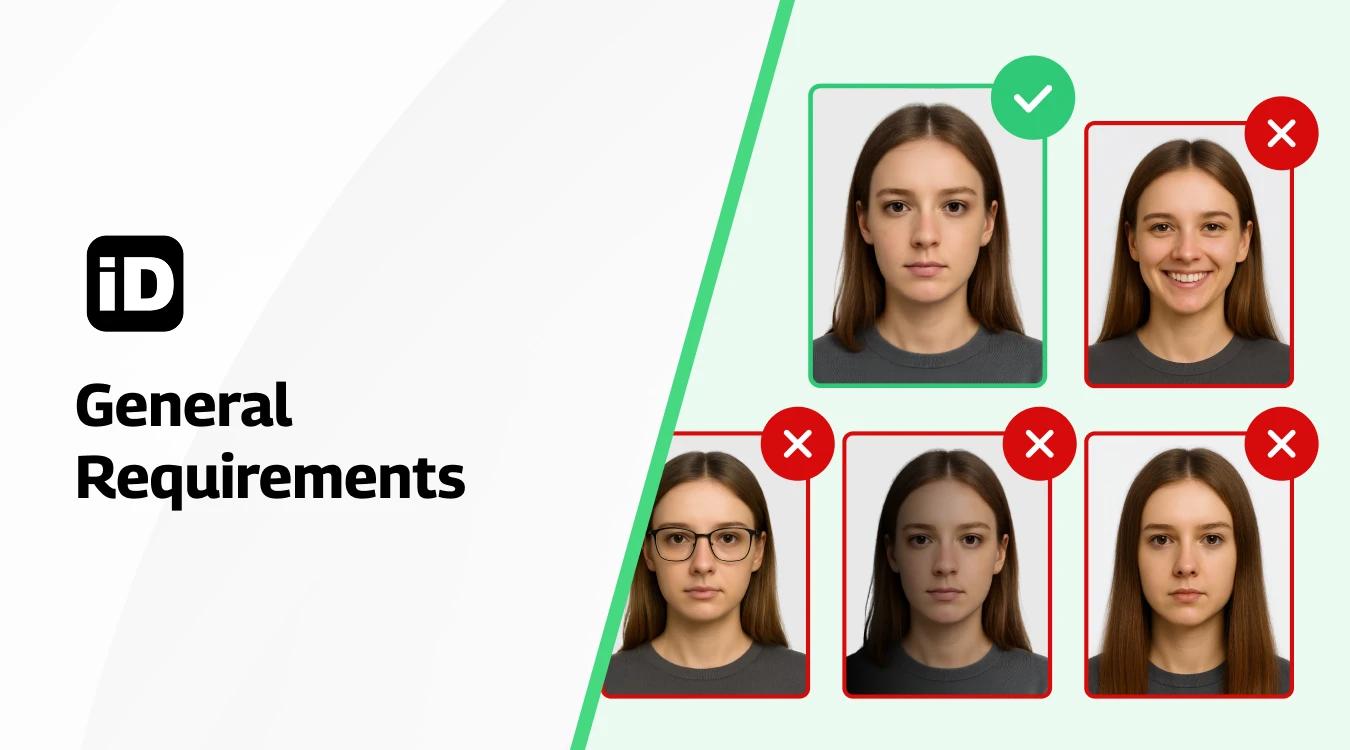
To ensure your driving licence photo is accepted by the authorities, it’s crucial to adhere to the general requirements outlined below. By following these guidelines, you can avoid delays in your driving licence application process.
Size and dimensions
- The required size for your driving licence photo is 45mm in height and 35mm in width.
- The height of your head, measured from the crown to your chin, must be between 29mm and 34mm.
Quality
- Your photo should be taken in full colour to provide the best representation of your appearance.
- Choose a plain cream or light grey background to ensure your features stand out.
- Focus is key – make sure your photo is sharp and clear, with no blurriness or distortions.
- Avoid any shadows on your face or behind your head, as this can lead to rejection.
- Submit a recent photo, taken within the last month, to accurately reflect your current look.
- Refrain from digitally altering your photo using computer software, as this can result in disqualification.
Head and Position
Face and expression
- Position yourself directly facing the camera, looking straight ahead with a neutral expression.
- Your face should occupy 70-80% of the photograph, ensuring your features are visible.
- Keep your mouth closed and maintain a relaxed, natural expression.
- Ensure your eyes are open and easily discernible, without any obstructions.
- Sunglasses and tinted lenses are not permitted in your driving licence photo.
- If you wear prescription glasses, you may keep them on, provided they are not tinted and do not cause glare or hide your eyes.
Headgear
- Generally, hats and head coverings are not allowed in driving licence photos. However, if you wear headgear for religious or medical reasons, you may do so, as long as it does not cover any part of your face.
Clothing
- Opt for everyday, casual clothing that does not detract from your face. Make sure your clothing does not cover any part of your face, as this can lead to photo rejection.
Jewellery and Piercings
Jewellery
- You may wear minimal jewellery in your photo, as long as it does not conceal any part of your face. Choose small, simple earrings to avoid casting shadows on your face.
Piercings
- Facial piercings are allowed, provided they do not obstruct your facial features or create glare. Ensure that your piercings do not cause reflections or distortions in the photo.
Hairstyle and Beard
Hairstyle
- Keep your hair neatly styled and away from your face, ensuring your eyes and features are fully visible.
- Avoid hairstyles that cast shadows on your face, as this can interfere with the clarity of your photo.
- If you have long hair, tuck it behind your ears to showcase your entire face.
Beard
- Beards and moustaches are allowed in driving licence photos. However, keep your facial hair well-groomed and trimmed, ensuring it does not hide the contours of your face.
Makeup
Natural appearance
- When it comes to makeup, less is more. Opt for a natural, minimal look that enhances your features without drastically altering your appearance. Avoid heavy, dramatic makeup that may lead to photo rejection.
Foundation and concealer
- You may use foundation and concealer to even out your skin tone, but apply them sparingly to maintain a natural look.
Eye makeup
- Keep eye makeup simple and understated, avoiding heavy eyeliner or bold eyeshadow that may obscure your natural eye shape.
Lipstick
- Choose neutral or light shades of lipstick that complement your natural lip colour. Do not use bright or dark colours that can significantly change your appearance.
Avoid glitter and shimmer
- Refrain from using makeup with glitter or shimmer, as these can cause reflections and interfere with the quality of your photo.
Background and Lighting
Background
- Your photo background should be a plain cream or light grey colour, free from any patterns, textures, or objects.
Lighting
- Ensure your photo is evenly lit, without any harsh shadows or bright spots.
- Natural daylight is ideal for capturing a clear, well-lit photo, but avoid direct sunlight, which can create unwanted shadows and squinting.
Digital Photos (if submitting online)
File format
- If you are submitting your photo digitally, use the JPEG file format for the best compatibility.
- Your photo file size should be between 50KB and 10MB to ensure proper upload and processing.
- Maintain a resolution of at least 600 pixels wide by 750 pixels tall for optimal clarity.
Digital Alterations
- Do not digitally alter or manipulate your photo in any way, as this can result in rejection.
Submission Guidelines
Print photos
- If you prefer to submit a printed photo, ensure it is printed on high-quality photo paper for the best results.
Digital submission
- For a convenient and cost-effective digital submission, consider using Smartphone iD to obtain a digital photo code.
Mistakes to Avoid on Your Driving Licence Photo
To increase your chances of a successful application, avoid these common mistakes:
- Submitting a photo that does not meet the required size and dimensions.
- Using a low-quality, blurry, or out-of-focus photo.
- Having shadows or glare on your face or in the background.
- Wearing sunglasses, tinted lenses, or headgear that covers your face.
- Submitting a photo with a busy or patterned background.
- Using heavy makeup or digitally altering your appearance.
How to Take a Good Driving Licence Photo?
Taking a good driving licence photo is essential to avoid any issues with your application. Here are some tips to ensure you get the best possible result:
- Choose a well-lit area with natural light if possible.
- Ensure a plain, light grey, or cream background.
- Stand 0.5 metres (1.5 feet) away from the background and 1.5 metres (5 feet) from the camera.
- Position your face directly facing the camera.
- Keep your eyes open and free from glare if you wear glasses.
- Remove any accessories that may obstruct your face, such as hats or scarves.
- Maintain a neutral expression with your mouth closed.
- Relax and take a few shots to select the best one.
If you have specific needs, such as religious head coverings, make sure to follow the DVLA guidelines.
Where to get your driving licence photo in the UK?
There are many places where you can get a driving licence photo in the UK. Some of the most common options include:
- Smartphone iD app: An inexpensive option for getting a valid and checked driving licence photo with IDPC. You can take a real-time photo using your smartphone, and you'll receive both your IDPC and digital photo directly via email.
- Post Office: Most Post Offices have a photo booth that you can use to take a driving licence photo..
- Pharmacies – Major pharmacy chains like Boots, Superdrug, and independent pharmacies often have photo booths.
- Supermarkets – Larger supermarkets may have self-service photo booths, e.g. Tesco, Asda, Sainsbury’s.
- Professional photographer: You can also get a driving licence photo taken by a professional photographer. This is a more expensive option, but it can be a good choice if you want to make sure that your photo is valid.
- Independent photo shops – Local independent photo processing shops sometimes provide passport photo services.
- Driving schools – Some driving schools offer in-house driving licence photo services for their students.
Smartphone iD: Your one-stop solution
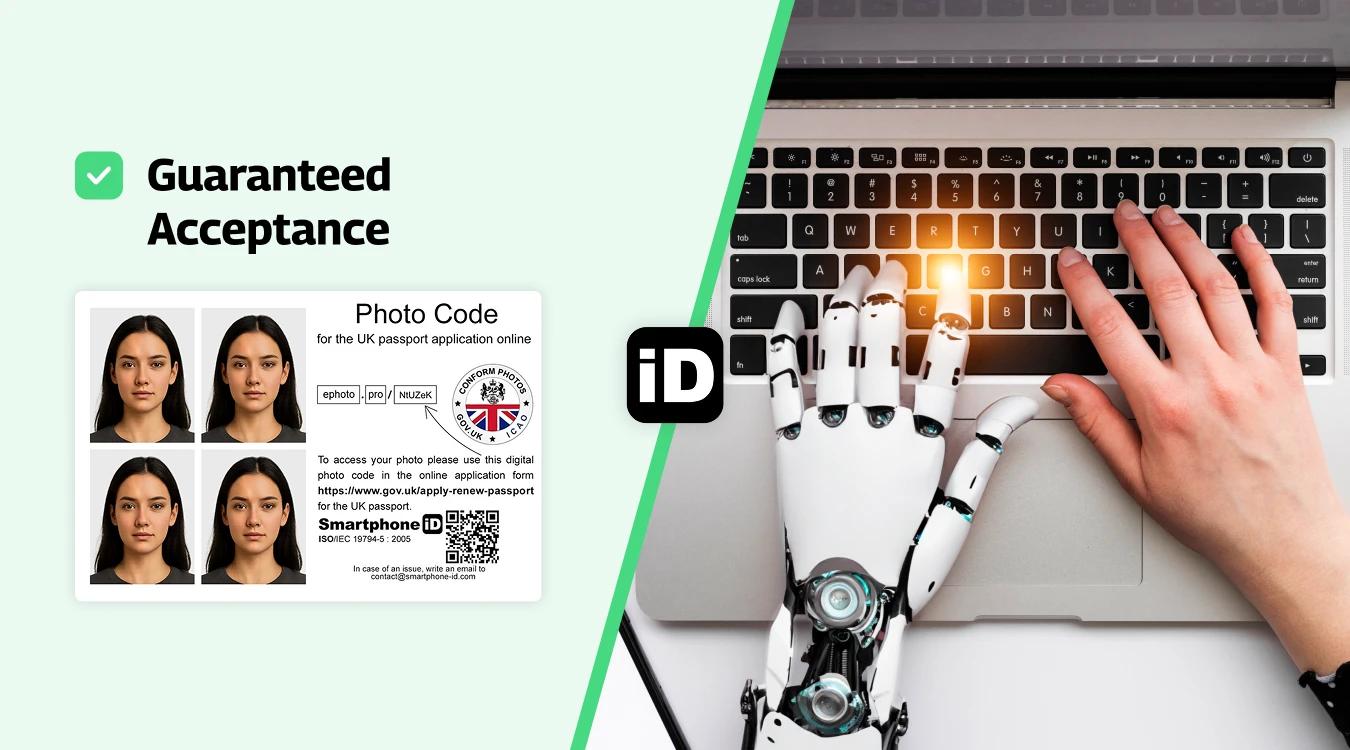
Smartphone iD offers a convenient, affordable, and reliable online service for obtaining your UK driving licence photo. Our app uses advanced AI and biometric expert validation to ensure your photo meets all the requirements. Plus, we provide a digital photo code for online driving licence applications at competitive prices.
Smartphone iD Passport Photo Maker, available on the Apple or Google Play Store. You will get 100% guaranteed photos in a matter of minutes.
How to get a digital photo code with the Smartphone iD app
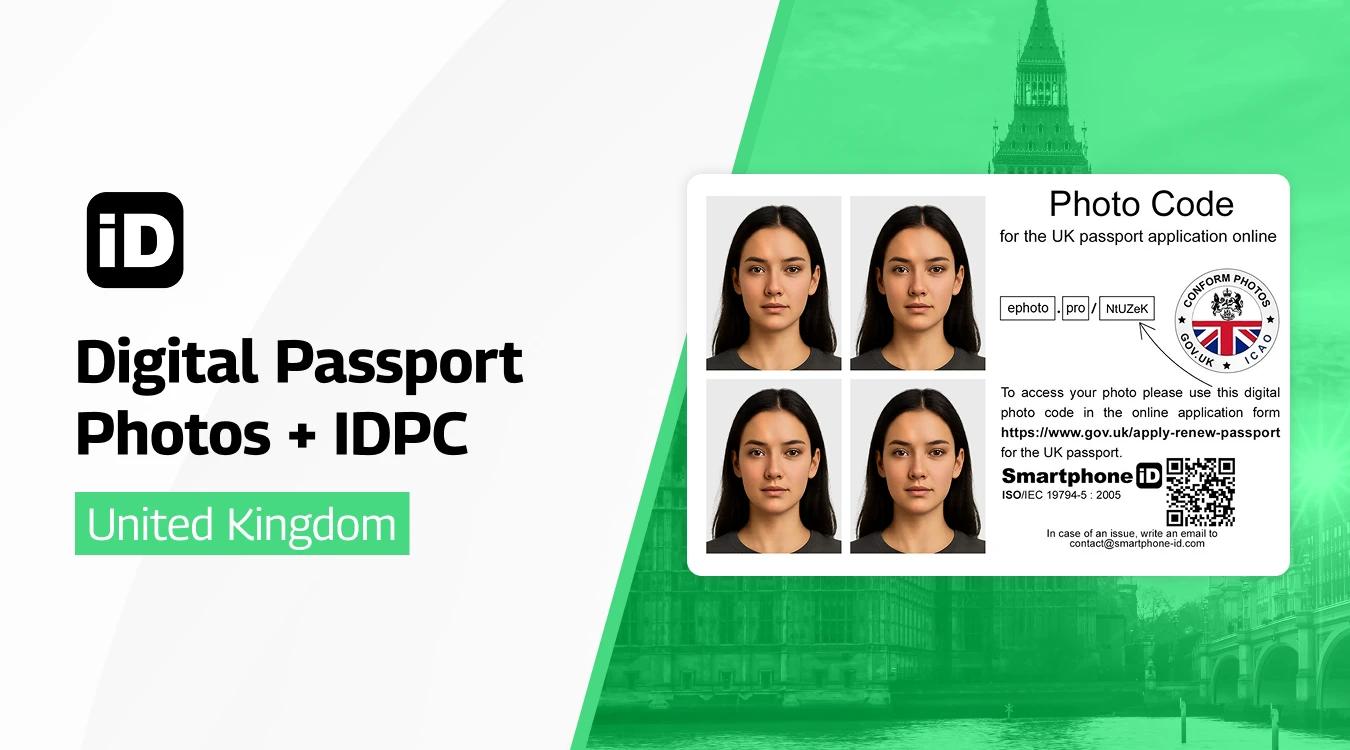
Follow these simple steps to obtain a digital photo code for your UK driving licence:
- Use our online passport photo tool Smartphone iD from the Apple or Google Play Store, or conveniently use our online web app by clicking the "Take a Photo" button.
- Open the app, take your photo, select the UK driving licence option, take and submit your photo.
- Within minutes, you’ll receive an approved photo in the valid UK format, along with a photo code in your email.
FAQs
How do I send my photo to DVLA?
You can send your photo to the DVLA either by submitting a printed photo with your application or by using a digital photo code obtained through a service like Smartphone iD.
How to countersign a driving licence photo?
If you’re unable to meet the standard photo requirements due to a medical condition, you may need a countersignature on the back of your printed photo. The countersignature must be from a professional, such as a doctor, who has known you for at least two years.
Can you take a driving licence photo on your phone?
Yes, you can take a driving licence photo using your smartphone, as long as it meets the required size, dimensions, and quality guidelines. Apps like Smartphone iD can help ensure your photo is compliant.
Do I need to send a photo to renew my licence?
If your appearance has significantly changed since your last driving licence photo, you may need to submit a new photo when renewing your licence.
Does the post office take photos for driving licences?
Some post office branches offer photo services for driving licences. However, using a dedicated app like Smartphone iD can provide a more convenient and cost-effective solution.
Where to get your driving licence photo in the UK?
There are many places where you can get a driving licence photo in the UK. Some of the most common options include: Smartphone iD app, Major pharmacy chains like Boots, Superdrug, Larger supermarkets may have self-service photo booths, e.g. Tesco, Asda, Sainsbury’s, Professional photographers, driving schools, etc
Can I wear glasses in my driving licence photo?
Yes, you can wear glasses in your driving licence photo, but ensure there are no reflections or glare on the lenses.
Can I smile in my driving licence photo?
No, it’s best to maintain a neutral expression with your mouth closed in your photo.
Is it okay to wear head coverings or hats?
For religious reasons, head coverings are allowed but must not obscure facial edges. No hats or sunglasses.
Sources
https://dvaonline.nidirect.gov.uk/Customer
https://www.gov.uk/browse/driving/driving-licences
https://www.gov.uk/renew-photo-driving-licence


.bbc9bc36.svg)