What are the British passport photo requirements?
Quick read - for people in a hurry
- Photo size: 45 × 35 mm; face height 29–34 mm.
- Digital photos: 600 × 750 px, 50 KB–10 MB.
- Plain light grey background, colour only, no shadows.
- Neutral expression, eyes open, mouth closed; no smiling.
- Smartphone iD app is the easiest way to get a compliant photo + digital code from home.
As long as you want to take a compliant UK passport photo, you must bear in mind the official regulations set by HM Passport Office. How should the photo be taken?
Read this article and you won’t have any more doubts!
Last Update: 30/09/2025
Table of contents
1 What are the mandatory regulations for a British passport photo
2 How to take a passport photo?
3 Her Majesty’s Passport Office Check and Send
5 Create a British compliant photo + photo code with your smartphone
What are the mandatory regulations for a British passport photo
Below you will find the main mandatory standards for UK passport photos. Your photo must be recent (taken within the last month) and must clearly resemble your current appearance.
British passport photo size
The United Kingdom has its own official passport photo format, so it’s important to follow the UK requirements carefully. Rules differ for printed and digital photos, and your application will be rejected if the photo does not meet HM Passport Office standards.
- Printed photos must be 45 mm high by 35 mm wide.
- The face size should be between 29 mm and 34 mm high (from the crown of your head to your chin).
- Digital photos must be at least 600 pixels wide and 750 pixels tall,
with a file size between 50 KB and 10 MB.
Lighting/ color
The photo should have a good balance between overexposure and underexposure, but should not be altered by computer software in any way. It should be high contrast, with no shadow on the face or in the background. A color photo is required.
Photo quality
The photo must be high quality — clear, sharp, and free from marks, creases, or damage. For digital submissions, the file must meet HM Passport Office requirements: at least 600 pixels wide and 750 pixels tall, with a file size between 50 KB and 10 MB.
What color should be the background of a passport photo?
The background should be in plain color. The HM Passport Office only allows light grey backgrounds.
Are you allowed to cover your hair in a Passport photo?
In the UK, head coverings are permitted only for medical or religious reasons. Your full face must remain visible, and no shadows should fall across it. Fashion hats, scarves, or headbands are not allowed in passport photos.
Accessories
No accessories should be noticeable in a UK passport photo. This includes decorative barrettes, large hair clips, or elastic bands. If your hair gets in the way, tie it back neatly in a ponytail behind your head so it does not show in the picture.
Makeup
Only minimal makeup is recommended. Heavy makeup can alter your natural appearance and may interfere with both human checks and computerised facial recognition systems. A simple, natural look ensures the photo clearly represents you.
Eye direction and head position
The subject must face the lens, hold their head straight, and look directly into the lens. A neutral expression must be maintained with a closed mouth. There should be no hair in front of the eyes.
Face and eyes
The face must be clear. Eyes must be open. The aim is to recognize you as much as possible.
Glasses
Thick frames are prohibited on a passport photo. Glasses must not obscure the eyes, therefore, tinted glasses are prohibited. Note that there should also be no reflection on the glasses. Due to a high number of refused photos, we kindly ask you to remove your glasses when taking your photo with the Smartphone iD app.
Body
The photo must show only your head, neck, and shoulders.
Passport photo requirements – what clothing?
In the UK, uniforms are not allowed in passport photos. Wear everyday clothing that contrasts with the background.
To take a proper passport photo, you have to:
- Wear a shirt or other piece of clothing that will make your face, neck, and shoulder line visible
- Take off all accessories that may impede your recognition
- Take off head coverings, unless you wear them for religious reasons
- Wear such clothes that will differ from the background colour
How to take a passport photo?
Taking a good passport photo is essential to avoid delays or rejection of your application. Here are some tips to ensure the best result:
- Choose a well-lit area with natural light if possible.
- Use a plain, light grey background with no patterns or shadows. Acceptable body-background proportions (background surface shouldn’t be bigger than 20% of the image)
- Stand about 0.5 metres (1.5 feet) from the background and 1.5 metres (5 feet) from the camera.
- Position your face directly forward, looking straight at the camera.
- Keep your eyes open and visible (glasses allowed only if they don’t cause glare).
- Remove accessories that obstruct the face, such as hats, scarves, or decorative clips (unless for medical or religious reasons).
- Maintain a neutral expression, mouth closed, no smile.
- Do not take a selfie – ask someone else to take the photo for you, or use a tripod.
- Take several shots and choose the one that best meets the UK passport standards.
It is important to mention that each photo should be printed or uploaded to the system in colour. Black and white images will not be accepted.
Her Majesty’s Passport Office check and send
A selection of British post offices can check passport applications via the Check and Send service. It is thought to be less likely that your application would be denied if you use this reliable method.
Bear in mind, though, that the service costs £16.00.
Where to take a photo?
If you want to take a photo and obtain an ID photo code at once, you may go to:
- A photographer’s studio
- A photo booth
- Use our online ID photo tool to apply online.
The third option will allow you to save money not only for the photo, but also for the passport application (online application is cheaper).
Create a British compliant photo + photo code with your Smartphone
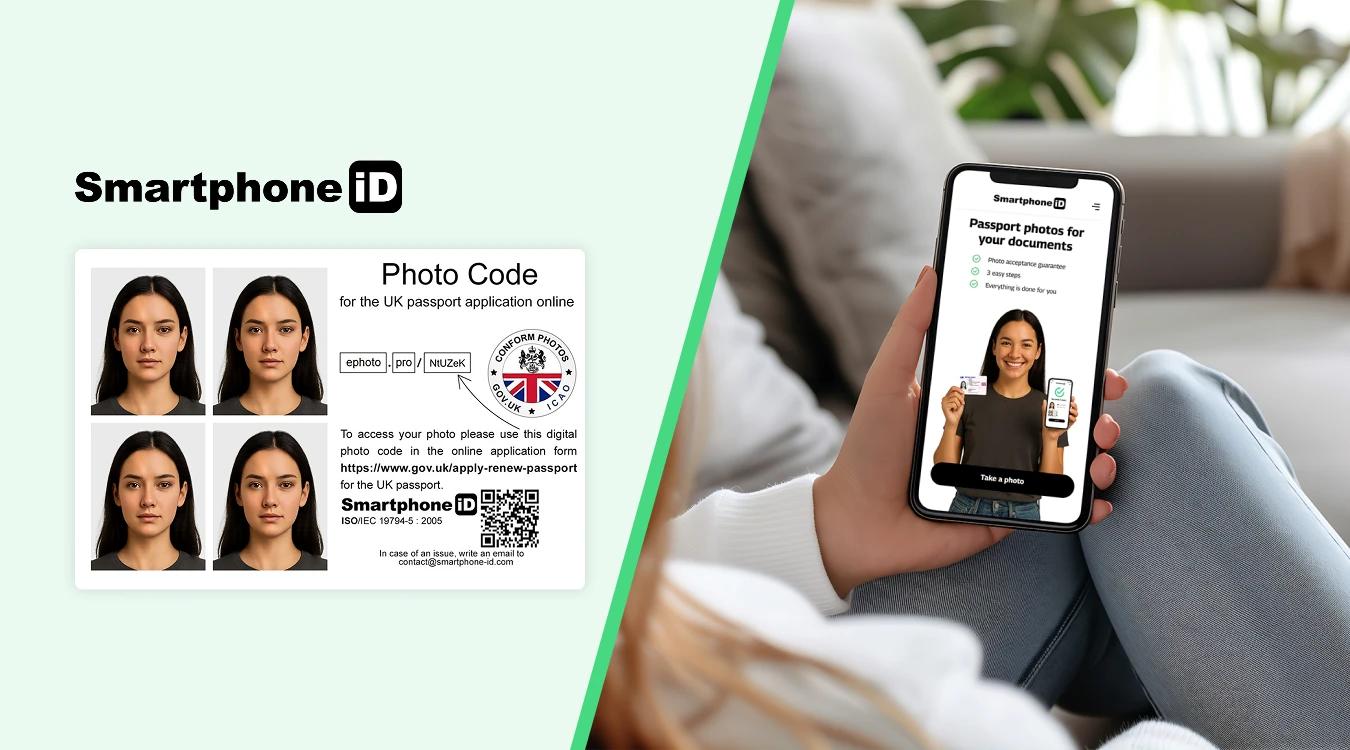
Instead of spending time searching for a photographer or booth that can produce a valid photo with a code, use the Smartphone iD app. Within minutes, you’ll receive a compliant photo and code by email to continue your passport application.
It is that simple and easy!
FAQs
How do I send my photo for a UK passport?
You can provide either a printed photo with your paper application or a digital photo using a unique photo code obtained from a photo booth, photographer, or an app like Smartphone iD.
Do passport photos need a countersignature?
You only need a countersignature if you’re applying for your first adult or child passport, or if you’re replacing a lost, stolen, or damaged passport. The countersignature must be from a professional who has known you for at least two years and is not a relative.
Can I take a passport photo on my phone?
Yes, you can take a passport photo with your smartphone as long as it meets HM Passport Office rules for size, quality, and background. Services like Smartphone iD can ensure the photo is compliant and provide you with a digital code.
Do I need to send a new photo when renewing my passport?
Yes, you must always provide a new photo when renewing your UK passport, regardless of whether your appearance has changed.
Does the Post Office take passport photos?
Yes, many Post Office branches offer passport photo services, including digital photos with a code. However, using an online tool like Smartphone iD can be more convenient and often cheaper, especially for children or babies.
Where can I get a UK passport photo?
You can get a UK passport photo from:
- The Smartphone iD app (with code delivered to your email)
- Photo booths in supermarkets, train stations, and shopping centres
- Pharmacies such as Boots or Superdrug
- Professional photographers
- Select Post Offices that provide passport photo services
Can I wear glasses in my passport photo?
Yes, you can wear glasses, but only if your eyes are fully visible with no glare, reflection, or tinted lenses. If possible, it’s recommended to remove glasses to avoid rejection.
Can I smile in my passport photo?
No. You must keep a neutral expression, with your mouth closed and eyes open.
Is it okay to wear head coverings or hats?
Head coverings are only permitted for religious or medical reasons and must not obscure the face. Hats, fashion scarves, or sunglasses are not allowed.
Sources
https://www.gov.uk/photos-for-passports
Learn more
- ICAO standards for official photo
- Examples of Rejected and Accepted UK Passport Photos
- Can You Smile in a UK Passport Photo?
- Who Can Sign United Kingdom Passport Photos: A Complete Guide
- Online Digital Passport Photo Checker ( AI+Expert check)
- How to make a UK passport photo for passport?
- Make your id photo online Quickly & Cheaply
- What is the best passport photo app on iPhone?
- Which UK passport photo app to consider ?


.bbc9bc36.svg)