Where to Get Passport Photos in Naas (2025 Guide)
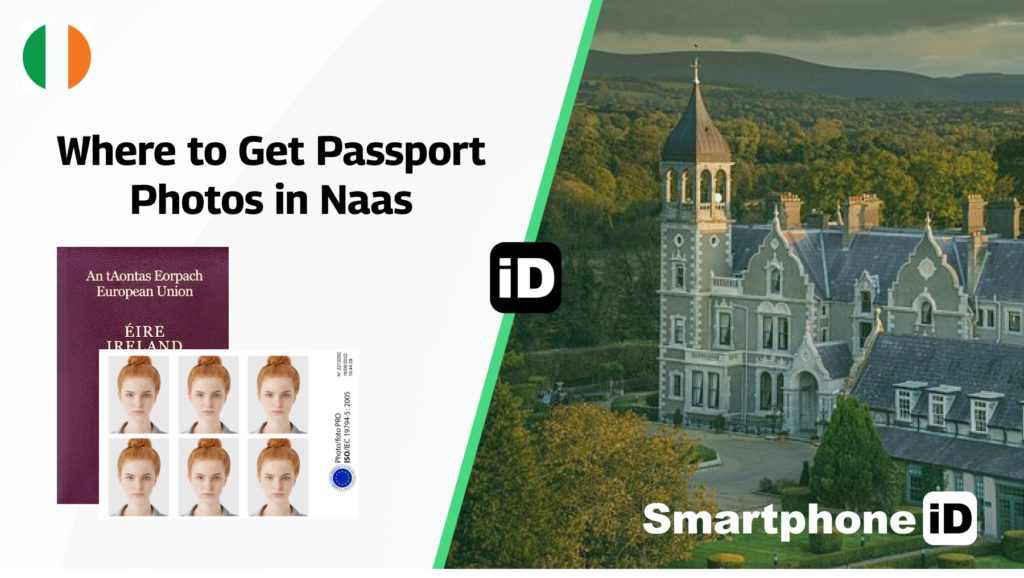
If you are looking for where to get passport photos in Naas, you’ve come to the right place. This article talks about the best places to get valid passport photos near you in Naas. Also, you will get to know about the Ireland passport photo requirements and how to take passport photos with your phone.
Table of contents
1. Where to Get Passport Photo in Naas
5. The Requirements of Ireland Passport Photos
8. How to Get Passport Photos Online in Naas
10. Using Reasonable Price Tools
11. What Are the Cheap Passport Photos in Naas
14. What Is the Cost of Passport Photos in Naas
15. Where to Print Digital Passport Photos in Naas
19. How to Get Baby Passport Photos In Naas
22. How to Get Passport Photos Near Me in Naas
25. Take Your Passport Photo with Your Phone in Waterford
Where to Get Passport Photo in Naas
There are no hard and fast rules regarding where you should get passport photos in Naas. Indeed, there are quite a number of options to explore. Let’s check them out.
Photography Studios
Photo studios are quite popular on the lips of Irish passport applicants. Once you are at a preferred studio, inform the experts that you’d like to get passport photos that meet the Passport Office requirements. They’ve got the skills and experience to ensure great photo quality.
If you want approved Ireland passport photos, we recommend the following photo studios:
- Photo-Me: located at Tesco, Blessington Rd, Naas East, Naas, Co. Kildare, W91 W67E, Ireland
- Naas Photo Centre: located at 1 S Main St, Naas East, Naas, Co. Kildare, Ireland.
- Tony G Murray Photography: located at The Atrium, John’s Lane, Naas East, Naas, Co. Kildare, Ireland
- David Dempsey Photography: located at Johnstown, Naas, Co. Kildare, Ireland
Pharmacies
One would think that pharmacies offer only medical services. Indeed, this is untrue. You can get Ireland passport photos at pharmacies near you.
Request to use their photo booth and pay the required fee. You’d get your passport in a short time.
Here are some pharmacies in Naas that offer passport photo services.
Tesco Pharmacy Naas: located at Monread Road, Naas, W91 R2EF
Burkes Pharmacy: located at 3 North Main st Naas Co. Kildare
Daly’s Pharmacy: located at 17 South Main Street Naas Co. Kildare
Smartphone iD App
The Smartphone iD app is your best shot at getting a verified Ireland passport photo. You don’t need to use a photo studio or booth. The app allows you to create a passport photo from the comfort of your room.
So, what do you need to use the Smartphone iD app? A compatible Android or iOS device is all you need. After using the app, take a photo and wait for the app to do the necessary.
The AI verifies your photo, and the technical team also double-checks to ensure that your photo meets the requirements.
The Requirements of Ireland Passport Photos
Getting a passport photo is no big deal. But the challenge lies in getting passport photos that fit the Irish Passport Office requirements. Here’s what you should note when taking passport photos in Ireland.
Hard Copy Requirements
Size
- The minimum and maximum passport sizes should be 35mm x 45mm and 38mm x 50mm, respectively.
- Your face should take up about 70%-80 % of the photo frame
Quality
- Passport photos should not be enhanced
- Ensure that the photos are in sharp focus
- The authorities don’t want to see creases or ink marks
- Black and white and color photos are accepted
- Print passport photos on quality paper
- The passport photo should be printed at a high resolution
- The photo must not be more than 6 months old
Digital Copy Requirements
- Must be in color
- The photo must not be compressed
- The passport photo should not be distorted
- There should be no enhancements
- The photo should be in JPEG format
- Digital photos should not be larger than 9 megabytes
- Should not be less than 715 pixels wide and 951 pixels in height
How to Get Passport Photos Online in Naas
Big thanks to technology. You can now get your passport online without hassles. Let’s bring you up to speed with some tools and apps to get passport photos online in Naas.
Helpful tools to consider using for Passport photos online in Waterford
Using free tools
IDPhoto4You
You can create a passport photo online with IDPhoto4You. After selecting the country, photo, and print type, you can upload a desired photo. There’s a crop page where you can edit the passport photo.
Note that there’s no compliance check when you use IDPhoto4You. So you’ve got to ensure that your photo meets the requirements before printing hard copies.
Passport Photo ID (Android/iOS)
The Passport ID app also allows users to create passport photos online. The app allows for flexibility. You can upload an existing photo or take a photo with the app.
However, you need to edit your photo and ensure compliance with the requirements when you use Passport Photo ID. The app does not have a compliance check feature.
Using Reasonable Price Tools
Smartphone iD
You can get verified passport photos with Smartphone iD. After taking your photo, the app does the editing and ensures Passport Office compliance. There are AI and standby biometric experts who make this possible.
Once your photo is ready, you will get it through email or doorstep delivery (the choice is yours).
Additionally, Smartphone iD offers a great competitive price, and you also enjoy a money-back guarantee.
wowwow.123passportphoto.com.123passportphoto.com
With this tool, you can create most identification document photos. The pain point here is that the website does not have a background removal feature.
Persofoto.com
Persofoto is peculiar for allowing users to reposition a passport photo using their keyboard and zoom function. And you can take a photo with your webcam, your can upload an existing one.
After repositioning your photo with this tool, you can download or print it.
What Are the Cheap Passport Photos in Naas
Are you looking for where to get a verified passport photo in Naas at an affordable price? Here are the best places:
Naas Photo Centre
You can get a cheap passport photo at Naas Photo Centre. They’ve got some of the best photography equipment as well as skilled photographers. This center will help you create passport photos that would be accepted by the Passport Office, and at a good price.
Smartphone iD
Get your verified passport photo using Smartphone iD. After taking a photo, the AI and biometric team will verify it to ensure it meets the requirements. Use these premium features for a low price.
What Is the Cost of Passport Photos in Naas
Passport photos are relatively cheap in Naas. You can get quality passport photos for just €8-€10. Moreso, there’s a cheaper alternative. Smartphone iD lets you get verified passport photos for a low price
Where to Print Digital Passport Photos in Naas
Are you looking to submit hard copies of your Irish passport photos? This implies that you’d need to print a digital version of your passport photos. We make this easy with our list of the best places to print your digital passport photo in Naas.
Fujifilm Naas
Get quality passport photo prints at Fujifilm Naas. The printing equipment here is some of the best you can get in the industry. Fujifilm’s Naas address is 1 S Main St, Naas East, Naas, Co. Kildare, Ireland.
Photo-Me
Photo-Me has a printing kiosk that you can connect your device and get passport photo prints that meet the authorities’ specifications. Check out Photo-Me at Tesco, Blessington Rd, Naas East, Naas, Co. Kildare, W91 W67E, Ireland.
Smartphone iD
You can get hard copies of your passport photos with Smartphone iD. After taking a photo and the verification by the AI and experts, request for hard copies and pay the required fee.
You will get delivery of verified passport photos at your doorstep.
How to Get Baby Passport Photos In Naas
Taking a baby passport photo can be quite difficult, especially if you don’t have the expertise. Here are the best places to take baby passport photos in Naas
Photo-Me
You can get a baby passport photo at the Photo-Me photo processing centre. They will put your baby at ease and grab their attention for the best passport photo quality. Photo-Me is at Tesco, Monread Rd, Monread North, Naas, Co. Kildare, W91 R2EF, Ireland
Smartphone iD
Take your baby’s passport photo using with Smartphone iD. All you have to do is lay your baby on their back and ensure they are in the best mood. Then take a photo and let the app do the rest.
How to Get Passport Photos Near Me in Naas
Are you looking to get a passport photo in Naas without much stress? You are in the right place. Use this list to get passport photos near you in Naas.
Fujifilm Naas
Fujifilm is a great option to get a passport photo in Naas. They know the requirements of the Irish Passport Office and they will help you meet the specifications. Additionally, the experts are skilled and they offer impressive passport photo services.
Check out Fujifilm at 1 S Main St, Naas East, Naas, Co. Kildare, Ireland
Smartphone iD
You can get a passport photo from the comfort of your room with Smartphone iD. You only need to install the app on your Android or iOS device. Then take a photo and let the app carry out the verification.
Take Your Passport Photo with Your Phone in Waterford
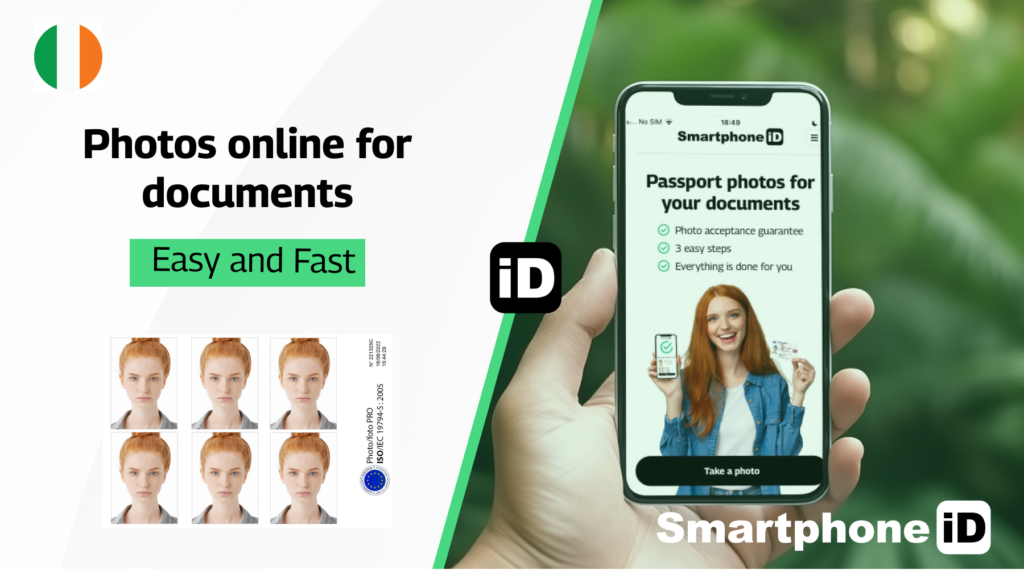
If you want to take a passport photo with your phone, we recommend that you get a tripod for stability.
After ensuring that the lighting is good and the background meets the requirements, take the photo yourself or use a friend’s help.
Use Smartphone ID Online Passport photo generator, available on Apple or Google Play Store. You will get 100% guaranteed photos in a matter of minutes.
Here is an easy guide on taking the photo using Smartphone ID:
Step #1 Use Smartphone iD, start by clicking the "Take a Photo".
Step #2: Select the country for the document. Ex: Ireland
Step #3: Select the document type. Ex: Passport
Step #4: Take the photo using your device and the in-app instructions.
Step #5: Have the photo emailed or printed and shipped to your home.
Smartphone iD is not only easy to use, but it also provides expert verification, in-app sizing and editing, and affordable prices! If you want to fastest way to take your passport photo, you should opt to use the Smartphone iD app.
Conclusion
Getting verified passport photos in Naas is easy if you know where to look. The Smartphone iD app lets you create quality passport photos that meet the Irish Passport Office requirements.
Use the Use Smartphone ID app today to enjoy premium passport photo services at an affordable price. Smartphone iD app today to enjoy premium passport photo services at an affordable price.
FAQs
Can I Submit Unverified Passport Photos In Ireland?
No. We strongly advise you to submit verified passport photos by smartphone ID
What Type Of Paper Should I Print My Irish passport Photo On?
The Passport Office requires applicants to print their Ireland passport photos on quality paper
What Color Should My Ireland Passport Photo Be?
An Ireland passport photo background should be white or light grey
Can I Get a Passport Photo From My Room?
Yes. You can get a passport photo from your room using Smartphone iD
Where Can I Print Passport Photos In Naas?
Use smartphone ID printing service
Continue Reading
- Passport Photo Locations in Ireland
- Where to Get a Passport Photo Booth in Dublin
- All you Need to Know about Passport Photos in Dublin
- Where To Take Passport Photos In Limerick process
- Where To Take Passport Photos In Galway (full guide)
- Where to Get Passport Photo in Waterford
- Where to Get Passport Photos in sligo (Guide)
- Where to Get Passport Photos in drogheda


.bbc9bc36.svg)