How to take a baby passport photos at home easily with our tool!
Quick read - for people in a hurry
- Baby passport photos must be 2 × 2 inches, in color, with a plain white background.
- The baby’s head size should be 1–1 3/8 inches (25–35 mm) from chin to crown.
- Neutral expression required — mouth closed, no smiles; newborns may have eyes partially open.
- No pacifiers, toys, hands, hats, or glasses in the photo.
- Photos must be taken within the last 6 months and be sharp, clear, and shadow-free.
- The easiest way: use Smartphone iD to take compliant photos from home with expert validation.
The process of applying for a U.S. passport for a newborn is the same as for any child under 16. Passports for minors are valid for 5 years. You must bring a photo that meets U.S. passport photo requirements, but baby passport photos also have additional specifications.
Last update: 09/30/2025
Table of Contents
- Baby passport photo requirements
- Examples of accepted and rejected US infant passport photos
- How to take a US passport photo of a baby at home?
- Where can I get a US baby passport photo near me?
- Passport Photos For your baby, newborn or child with Smartphone iD – What you will get?
- The tiny traveler’s first headshot: Conquering the baby passport photo challenge
- FAQ
Baby passport photo requirements
When choosing the best photo of your baby, make sure that the photo conforms to the following :
- The photo must show only the baby or toddler, with no one else in the frame.
- The baby’s eyes should be open (though partial closure is acceptable for newborns).
- No shadows may appear on the baby’s face.
General U.S. Passport Photo Rules for Children
Basic passport photo rules are that you need to submit one color photo taken within the last six months using a plain white background.
The photo needs to be 2 x 2 inches in size and within that space, the head must be between 1 to 1 3/8 inches (25 to 35 mm) from the bottom of the chin to the top of the head.
You will need to face the camera straight-on with your face in full view.
There are a few additional things to note:
- Your child cannot wear glasses, masks, hats, etc. They’ll need to wear everyday clothes and take everything off their head so nothing covers the face.
- There is a little more leeway with passport photos of babies than for older children and adults, as it is specifically called out that an infant’s eyes don’t have to be widely open.
- It can be hard to get a newborn to look right at the camera with their eyes, so just do your best to check all the other boxes.
- A pacifier is not allowed when taking a passport photo.
Are there any exceptions for U.S. newborn passport photos?
There are 3 points that are less strict with toddler passport photos than for adults. These points are:
- The baby may slightly look away.
- The head may be slightly tilted.
- Lips may be slightly parted, but no teeth or tongue should be visible.
Examples of accepted and rejected US infant passport photos
To help you understand what makes a suitable passport photo for your baby, we’ve provided examples of both accepted and rejected photos.
Please note that the dimensions of these baby ID photos are not exact; they are provided for illustrative purposes only.
Below, you’ll find some examples of accepted baby passport photos by the U.S. Department of State
Baby passport Photos: Accepted and Rejected-Example 1
Reasons for Rejection and Our Advice
- Looking Away: The baby must face forward and look directly at the camera lens.
- Inappropriate Expression: the baby must have a neutral expression—no crying, laughing, or frowning.
- Closed Mouth with Hand: The baby’s mouth must remain closed, and no hands may obstruct the face.
Baby passport Photos: Accepted and Rejected-Example 2
Reasons for Rejection and Our Advice
- Looking Away: The baby must face forward and look directly at the camera lens.
- Inappropriate Expression:The baby must have a neutral expression—no crying, laughing, or frowning.
- Open Mouth:The baby’s mouth must be closed in the photo. An open mouth is not acceptable.
Baby Passport Photos: Accepted and Rejected-Example 3
Reasons for Rejection and Our Advice
- Object in the Mouth:Pacifiers, bottles, or any other objects in the baby’s mouth are not allowed.
- Visible Hands: Neither the baby’s hands nor the parent’s hands may appear in the photo.
- Blurry Photo: The photo must be sharp and clear, without blur or pixelation.
How to take a US passport photo of a baby at home?
- Use the Smartphone iD app to get started.
- Take care of natural daylight. Take a photo near the window in the morning or daytime. If the light is not enough, turn on an additional lamp, but don’t point it at your child’s face. Avoid using flash.
- Set up the background. USA child passport photo requirements include an even light-colored background (a plain sheet or towel with no folds will do). You can put the baby in a car seat, but cover the car seat with a white sheet to provide a blank background.
- Line up the frame so that the child gets into it waist-high.
- Make sure that your shadow doesn’t obscure the baby’s face.
- Keep the lens at eye level with your baby and catch the moment he/she looks directly at the camera;
- Take several shots and choose the best one.
How to take a baby passport photo with your smartphone?
Smartphone iD passprt photo maker is your one-stop solution for valid digital baby photos at home. It’s available online and on Android and iPhone. Take unlimited shots to get a photo that you like, and once our software and team have approved it, you will receive it shortly in your email and/or within a few days in your mailbox.
Our artificial intelligence and human control system guarantee 100% that your child’s photo will be accepted and conform to the mandatory ICAO standards and the standards of the US State Department.
Where can I get a U.S. baby passport photo near me?
Many drugstores and post offices offer baby passport photos. The average cost for two printed photos is about $15, with no digital version included.
Bear in mind that taking a USA passport photo for newborns or toddlers can be a stressful task, as it is not so easy to persuade a child to sit still in front of unfamiliar people. That’s why most parents prefer to take baby passport photos at home, saving funds and time.
Passport Photos For your baby, newborn, or child with Smartphone iD – What you will get?
1. Photo Template Of 4 Official Passport Photos
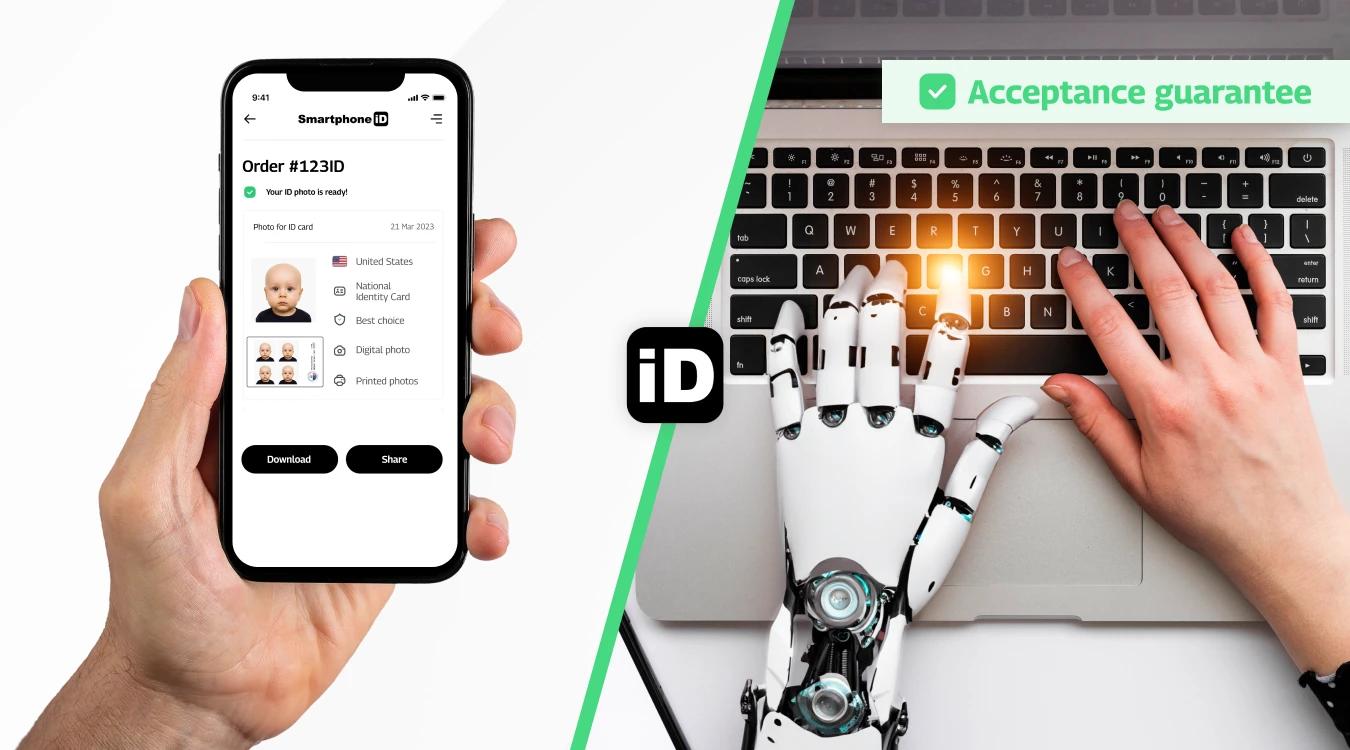
Our application allows you to create a template with up to four official baby passport photos that comply with current U.S. standards.
2. Acceptance guarantee
We are proud to offer an acceptance guarantee for photos taken with our application.
We use a combination of advanced technologies, such as artificial intelligence (AI) and human expertise, to carefully check each photo.
This rigorous verification guarantees that the photos fully comply with the required identity standards.
With our application, you can be sure to get high-quality identity photos that meet the strictest standards and are ready to be used with confidence in various official applications.
The tiny traveler’s first headshot: Conquering the baby passport photo challenge
Getting a passport photo for my 4-month-old son turned into an unexpected adventure. I started at CVS and Walgreens, hoping for a quick and easy process, but it quickly became clear that a “neutral expression” is an impossible request for a baby.
Despite the patient store photographers, my son was either crying, squirming, or looking anywhere but the camera. After several failed attempts and a growing sense of frustration, I decided to try a different approach.
That’s when I discovered the Smartphone iD app—a complete game-changer. Instead of struggling in a store, I set up a makeshift studio at home with a white sheet, my phone, and a few well-placed toys. The app provided clear guidelines and instant feedback, helping me adjust the lighting and positioning.
After multiple takes (and plenty of peek-a-boo and rattle-shaking), I finally captured a perfect, compliant passport photo—and to my surprise, my baby looked calm and collected.
Not only did Smartphone iD make the process smoother, but it also saved me time, money, and stress. If you’re a parent facing the baby passport photo struggle, I highly recommend trying it at home.
FAQ
How can I create a passport photo for a baby?
You can easily create a baby passport photo using our online tool. Simply take a well-lit photo of your baby against a plain white background (such as a white sheet) and upload it to our service. The tool will automatically crop, adjust, and verify the image to meet passport requirements.
How do I take a passport photo of a newborn baby?
To take a passport photo of a newborn, follow these steps:
- Lay the baby on a plain white sheet or use a car seat with a white background.
- Ensure even lighting with no harsh shadows.
- Capture the baby’s face straight-on with eyes open and mouth closed (some relaxation is allowed for newborns).
- Avoid hands, toys, or pacifiers in the frame.
Using an online passport photo tool can help ensure the final image meets official requirements.
Does CVS take baby passport photos?
Yes, CVS offers baby passport photo services at many of its locations. However, since photographing infants can be challenging, it’s best to call ahead and confirm that your local CVS can accommodate babies.
Do babies’ eyes need to be open for a passport photo?
No. Babies under one year may have eyes partially open.
Are babies allowed to smile in passport photos?
No. Babies, like adults, must maintain a neutral expression with a closed mouth. Smiling is not permitted.
Does USPS take baby passport photos?
Some USPS locations offer baby passport photos, but not all. It’s recommended to check with your local post office before visiting.
How much does CVS charge for baby passport photos?
CVS charges $16.99 for a set of two passport photos (same price for babies and adults).
Can babies’ hands be in the passport photo?
No, babies’ hands should not be in the passport photo. The photo should only show the baby’s head and shoulders. If you need to support the baby’s head, you can do so with your hand, but your hand must not be visible in the photo.
Can I take my baby’s passport photo myself?
Yes, you can take your baby’s passport photo yourself, as long as you follow the official requirements and guidelines and use our easy-to-use app Smartphone iD.
How to print a baby passport photo?
Photos must be printed on high-quality photographic paper. Do not use a standard home printer. Use professional printing services (e.g., Walmart, Costco) or Smartphone iD’s online printing service.
How to dress baby for passport photo?
It is best to dress your baby in a plain, light-colored top for their passport photo. Avoid clothing with stripes, patterns, or logos, as these can be distracting. You should also avoid clothing with shadows or reflections.
How many photos do I need for a baby passport?
You will need two identical passport photos for your baby’s passport application.
Does AAA take baby passport photos?
Yes, AAA offers baby passport photo services at select locations. Availability may vary, so it’s best to contact your nearest AAA office for details.
Does Walgreens take infant passport photos?
Yes, Walgreens provides passport photo services for infants and young children. Since some locations may have different equipment and policies, it’s a good idea to call ahead and confirm.
Where to get baby passport photos near me?
Options include professional photographers, photo booths, pharmacies (e.g., CVS, Walgreens, Walmart), AAA, USPS at select locations, or online services like Smartphone iD.
Sources
https://travel.state.gov/content/travel/en/us-visas/visa-information-resources/photos.html
https://travel.state.gov/content/travel/en/passports/how-apply/photos.html
Continue Reading
- Where Can You Print a Baby Passport Photo in the US?
- Best US Baby Passport Photo Tool
- Top US Examples of Rejected Passport Photos: adults, babies
- How to Take a US Digital Passport Photo for adults+babies?
- Passport Photo Checker for US Digital Passport Photo for adults + babies?
- Top Ways to Create a Better Passport Photo With iPhone
- The Best Way to Convert a Photo to Passport Size


.bbc9bc36.svg)