Guide on how to get a successfully pre-validated green card photo?

Quick read - for people in a hurry
- Photo must be 2 × 2 inches, head size between 1–1 3/8 inches (chin to crown).
- Use a plain white or off-white background, no shadows or patterns.
- No glasses, hats, or uniforms; religious headwear allowed if face is fully visible.
- Keep a neutral expression, mouth closed, eyes open; no selfies.
- Digital photos: 600–1200 px, 54 KB–10 MB, taken within the last 6 months.
- Easiest option: use Smartphone iD for expert-validated, USCIS-compliant photos.
Your green card application is a significant step towards becoming a U.S. lawful permanent resident. One seemingly simple part of the process can cause delays if not done correctly: the green card photo.
This guide will ensure your photo meets all the requirements set by U.S. Citizenship and Immigration Services (USCIS) so your application sails smoothly through processing.
Last update: 09/30/2025
Table of Contents
- U.S. DV Lottery Photo: Digital Size Requirements
- 7 requirements for submitting a successful green card photo (that you shouldn’t miss)
- How to ensure that your photo doesn’t get rejected?
- How many photos must I submit with my visa application?
- Where to Get a Green Card Photo?
- Tips that can help you take an appropriate photo for your green card application
- Which green card lottery photo checker should you use?
- Summary
- FAQ
U.S. DV Lottery Photo: Digital Size Requirements
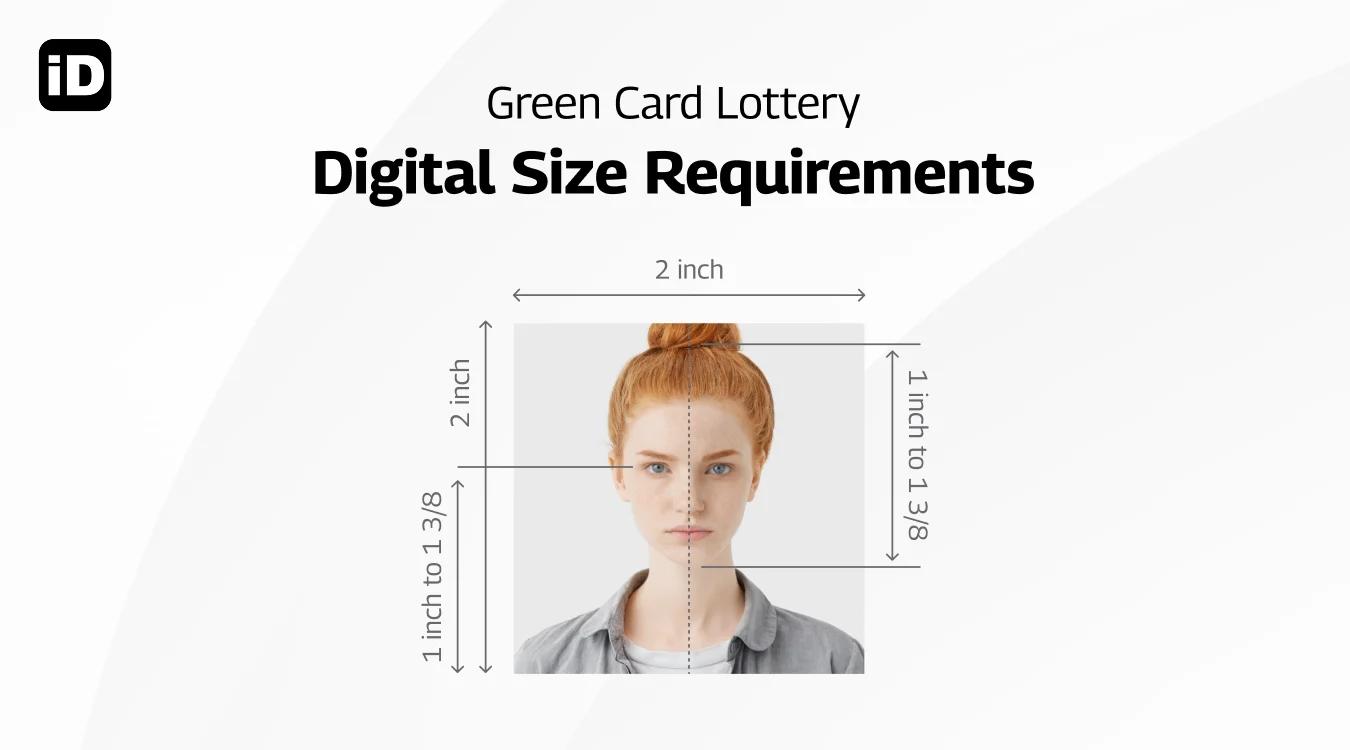
For a United States DV Lottery Visa photo, there are a few size requirements:
- Your DV Lottery Visa photo must be 2 inches x 2 inches in size
- In the photo, your head must be centred and between 1 inch and 1.4 inches in size
If you’re using the online application upload service:
- Your photo must be in JPEG (.jpg) format.
- File size must be equal to or less than 240 kilobytes.
- Your photo must be in a square aspect ratio, so the height and width are the same.
- Your photo must be between 600×600 and 1200×1200 pixels in dimension
If you scan a physical photo for online upload:
- Your photo must be 2 inches x 2 inches
- Make sure the scan resolution is 300 pixels per inch or 12 pixels per millimeter
This seems like a lot to handle, and it is! If you want to apply for your DV Lottery Visa with ease, try ‘Smartphone iD’.
Scroll to the bottom to find out more!
7 requirements for submitting a successful green card photo (that you shouldn’t miss)
Everyone wants to look good in their green card photo, but there are a few rules you need to comply with if you want your photo to be accepted. It’s a good idea to familiarize yourself with the requirements if you want to avoid your photo
being rejected, so go ahead and read them below.
- The photo must be taken against a plain white or off-white background.
- It must have been taken within the last 6 months.
- Glasses are not allowed.
- Hats, scarves, or headbands are prohibited, unless worn daily for religious purposes.
- The face must remain fully visible.
- Uniforms are not permitted. Wear everyday clothing.Business attire is optional but recommended.
- A higher neckline or darker clothing helps you stand out against the white background.
Note
To make sure your photo isn’t rejected, avoid these costly mistakes that could ruin your DV Lottery chances.
How many photos must I submit with my visa application?
The number of photos required for your visa application depends on the type of visa you’re applying for and the method of application. Here’s a breakdown of the photo requirements for the two main categories of U.S. visas:
Nonimmigrant visa (applying online using Form DS-160):
- When applying for a non-immigrant visa online, you’ll need to upload a single digital photograph during the application process. This photo must adhere to a strict set of guidelines to ensure it meets the U.S. government’s standards for visa photographs. The digital photo should be a recent, color image with a plain white or off-white background, and it must clearly show your face without any obstructions or shadows.
Immigrant visa (applying using Form DS-260):
- If you’re applying for an immigrant visa from outside the United States, you’ll need to bring two identical, printed passport-style photographs to your visa interview at the U.S. embassy or consulate. These photos should be taken within the last six months and must meet all the requirements for U.S. visa photographs, including size, background, and pose.
- If you’re applying for an immigrant visa from within the United States (also known as adjusting status), you’ll need to submit a total of eight identical, printed passport-style photographs with your physical green card application package. These photos should also adhere to the U.S. government’s guidelines for visa and passport photographs.
Where to get a green card photo?
Across the United States, there are quite a few stores and pharmacies that offer a Passport photo service. They usually include printing as well.
- Walmart Photo Center: $7.44, upload a compliant photo and pick up two copies in-store
- UPS: $11.99, in participating stores, make an appointment, get a photo taken in-store, including two photos printed
- Bartell’s: $14.99, in participating locations, find a store online and book a slot for a photo session, taken in-store
- Staples: $14.99, only in select stores, you will have your picture taken in-store, and you’ll receive two copies
- Walgreens Photo: $16.99, find a participating branch, get your photo taken in the store with a one-hour appointment, the service includes two photos
- CVS Photo: $16.99, in selected locations, your photo can be taken in-store, including two photos
Are you outside the USA and looking for a cheaper, faster, and more convenient option?
Try Smartphone iD — get expert-approved digital photos right from home. And if you prefer, we’ll even mail you professionally printed DV Lottery Visa photos.
Tips that can help you take an appropriate photo for your DV lottery card application
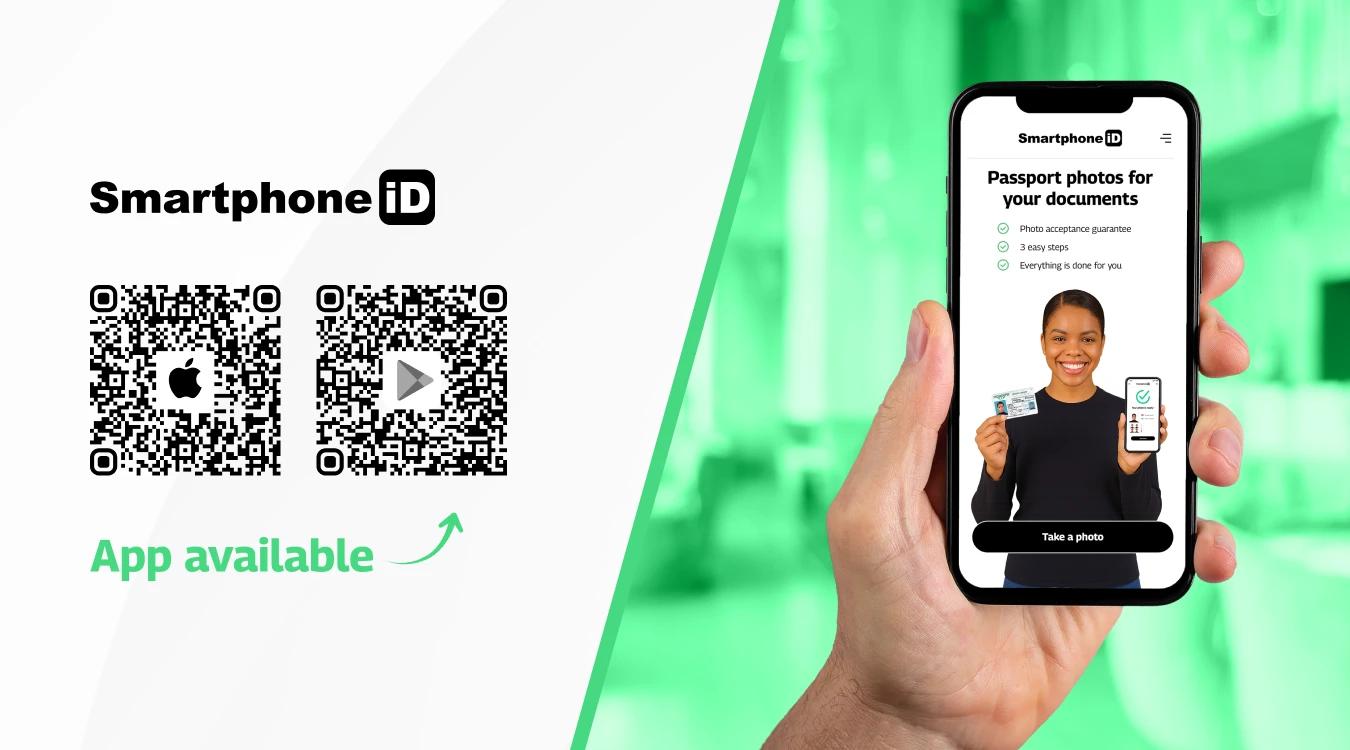
Taking a good green card photo is essential to avoid delays or rejection of your application. Here are some tips to ensure the best result:
- Choose the right location. Select a well-lit area with natural light if possible. Position yourself about 0.5 metres (1.5 feet) from the background and 1.5 metres (5 feet) from the camera.
- Set up a proper background. Use a plain, white or off-white background with no patterns or shadows.
- Open the Smartphone iD app, which can assist you in taking a compliant digital photograph, and choose the right template for the USA green card (permanent resident card).
- Position yourself correctly. Face the camera directly, looking straight ahead. Your photo must show your full face, with your head centered in the frame.
- Follow green card photo requirements. Keep your eyes open and visible (glasses are allowed only if they don't cause glare). Maintain a neutral expression with your mouth closed—no smiling. Your photo must have been taken within the last 6 months.
- Remove obstructing accessories. Take off hats, scarves, or decorative clips unless required for medical or religious reasons. Religious headwear is permitted if it doesn't obscure your face.
- Avoid taking a selfie. Ask someone else to take the photo for you, or use a tripod to ensure proper distance and framing that meets the standards.
- Take multiple shots. Capture several photos and choose the one that best meets the green card photo requirements.
- Submit for validation. The photo is sent to be reviewed by our expert who will ensure that the picture complies with USCIS government requirements for green card applications.
Which green card lottery photo checker should you use?
When applying for the Diversity Visa (DV) program, also known as the green card lottery, it’s crucial to ensure that your digital photograph meets all the requirements. Submitting a photo that doesn’t adhere to these guidelines could lead to disqualification from the lottery.
To help you check your photo’s compliance, consider using one of these online tools:
Smartphone iD Green Card Photo Checker
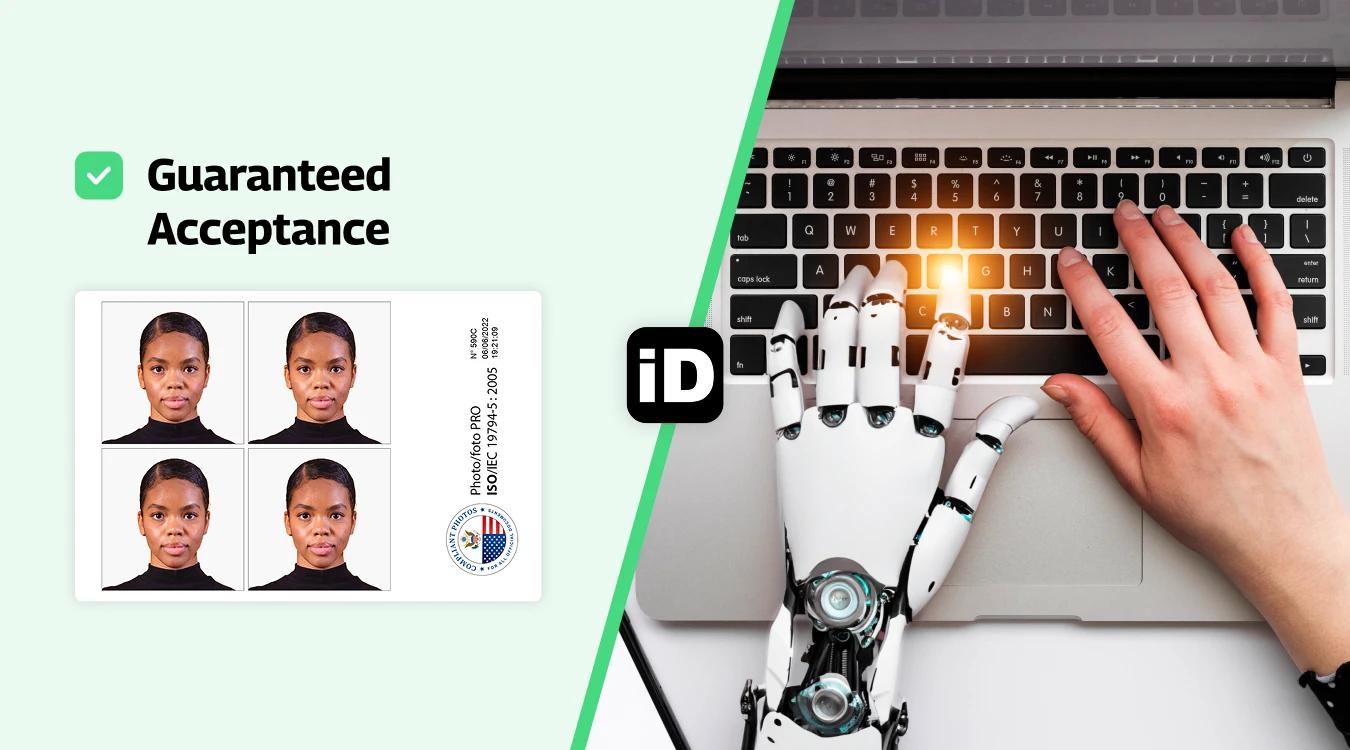
Our solution goes beyond the DV Lottery. We use advanced AI combined with human verification to check your photo against USCIS and DV program requirements.
The app guides you step by step on lighting, pose, and background, and then delivers a compliant photo with expert validation.
This gives you peace of mind that your photo meets the strict standards for green card and other official applications.
DV Lottery Photo Checker (dvlottery.me)
A user-friendly online tool designed specifically for the Diversity Visa program. You can upload your photo, and it instantly checks compliance with DV Lottery guidelines. It highlights any issues so you can retake the photo if necessary. The tool is updated regularly to reflect changes in official requirements.
U.S. Department of State Photo Tool
The official government resource. It provides a step-by-step process to upload, crop, and adjust your photo for DV Lottery submission. While it doesn’t offer instant feedback, it’s an authoritative source that ensures your photo matches the official specifications.
Summary
To successfully pre-validate a green card photo, use a service that offers compliance checks. Apps such as Smartphone iD or the official U.S. State Department Photo Tool can confirm whether your photo meets USCIS requirements.
If you want both pre-validation and affordability, Smartphone iD is one of the best options.
Use our online passport photo tool "Smartphone iD" from the Apple or Google Play Store, or conveniently use our web app by clicking the "Take a Photo" button.
FAQs
What photo is used for a green card?
A 2 × 2 inch, color, recent photo with plain white background, neutral expression, and full face visible
Can I wear glasses in my Green Card photo?
No, eyeglasses are not allowed in Green Card photos, except in rare instances where a medical necessity prevents them from being removed (e.g., recent eye surgery). If an exception is made, a doctor's statement must be provided.
Which companies offer green card photo pre-validation?
Several services can help ensure your green card photo meets USCIS requirements:
Smartphone iD – Offers background removal, expert photo checking (not just AI), customer support, and a money-back acceptance guarantee.
U.S. Department of State Photo Tool – An official online tool that helps crop and adjust photos for DV Lottery and other visa applications (basic checks only, no human validation).
When choosing a service, it's best to pick one that combines AI tools with human expert review to minimize the risk of rejection.
How do you get a picture for the green card lottery?
You can get a picture for the green card lottery by visiting a professional photo studio. For convenience and guaranteed compliance, we recommend using Smartphone iD, which provides step-by-step guidance and expert validation.
What type of paper should I print my photos on?
When printing photos for your green card application, it's essential to use high-quality photo paper with a matte or glossy finish. Avoid using regular printing paper, as it may not produce the required clarity and contrast. Your photos should be printed professionally or on a high-resolution color printer to ensure they meet USCIS standards.
Where can I get a green card photo taken?
When choosing a location, make sure they are familiar with the specific requirements for green card photos to ensure your photos will be accepted. Alternatively, you can use the Smartphone iD app, which offers an easy and reliable way to ensure your photos meet the strict guidelines necessary for green card applications.
Can the photo be black and white, or overly saturated?
No. The photo must be in color and accurately represent your natural skin tones and appearance. Black and white photos are unacceptable. The color must not be under- or over-exposed (too dark or too bright) or overly saturated, as this can lead to rejection.
What should I wear in a green card photo?
You should wear normal street attire or clothes you wear on a daily basis. Uniforms (except religious clothing worn daily) are generally not allowed. Do not wear anything that obscures your face. For example, large scarves or high collars should not cover the chin or neckline.
Are there restrictions on the color of clothing I wear?
While there is no strict rule on clothing color, it is strongly recommended that you wear a color that contrasts with the required white or off-white background. Wearing a white or very light-colored shirt is discouraged, as it can make your shoulders and torso blend into the background, which can confuse automated facial recognition systems. Darker or moderately colored clothing is best.
Is headwear allowed for religious or medical reasons?
Yes, you may wear a hat or head covering if you wear it daily for a religious purpose or if you wear it for medical reasons. However, your full face must be visible, and the head covering must not obscure your hairline or cast any shadows on your face.
Can I smile in a green card photo?
You should maintain a neutral facial expression with your mouth closed in your green card photo. While a slight, natural expression is acceptable, avoid big smiles or toothy grins, as these may cause your photo to be rejected. The key is to appear natural and recognizable, as the photo should be an accurate representation of your everyday appearance.
Does my hair color or style matter in the photo?
Your hairstyle and hair color generally do not matter, provided they are your natural or current look. However, your hair must not obscure any part of your face. Ensure that your bangs (fringe) do not cover your eyes or eyebrows, and large or voluminous hairstyles do not interfere with the overall 2x2 inch frame such that your head is improperly sized or positioned.
Are men required to shave their facial hair (beard, mustache) for the photo?
No, men are not required to shave beards or mustaches. If facial hair is a normal part of your daily appearance, it should be present in the photo. The key requirement is that the facial hair must not obscure the critical facial features (eyes, nose, mouth) or the edges of your face. If you normally have a beard, you should keep it for the photo.
Can women wear jewelry or accessories?
Yes, jewelry and facial piercings are generally allowed, provided they are not excessive and do not obscure your face. Large or bulky accessories (like very large hoop earrings or thick statement necklaces) should be avoided if they create glare, cast shadows, or hide any part of your face or neck outline. Headphones or wireless hands-free devices are strictly prohibited.
Is makeup allowed in the Green Card photo?
Yes, makeup is allowed, but it should be applied so that it results in a natural, true-to-life appearance. Avoid excessive or heavy makeup, especially makeup that is highly reflective, shimmery, or dramatically alters your natural facial features (like heavy contouring).
How strict is USCIS with photos?
The U.S. Citizenship and Immigration Services (USCIS) has strict guidelines for photos submitted with green card applications. They use these photos for identification purposes and to create official documents, so the photos must meet their exact standards.
If your photo does not comply with USCIS requirements, your application may be delayed or even rejected. To avoid any issues, make sure to follow the photo guidelines carefully and use a reliable tool like Smartphone iD to verify your photo before submitting your application.
Can I take a picture of my green card?
No. If you need a photo for identification or application purposes, you must submit an original photograph taken directly of your face according to USCIS specifications. A photograph of your existing green card is not acceptable for official applications.
Is a green card photo the same as a passport photo?
Yes. A green card photo and a U.S. passport photo have the same size of 2 x 2 inches and follow the same government requirements for composition, background, and facial expression.
Can I take a lottery photo by phone?
Yes, you can take your green card lottery photo with your smartphone at home. There are many apps to choose from, but we recommend using Smartphone iD for guaranteed compliance with USCIS requirements.
Can I wear earrings for the green card photo?
Yes. As long as your earrings don't obscure your face or facial features, you can wear them in your green card photo.
Is a green card a photo ID?
Yes. A green card is a permanent residence document issued by the U.S. government that includes your photo and serves as an official photo ID.
How can I increase my chances of winning the DV Lottery?
There are many ways to do this, though chance plays a big role in your success. However, you need to make sure your application is compliant. Taking a professional Diversity Lottery photo is a great way to improve your overall chances of success. ‘Smartphone iD’ is specifically designed to provide you with high-quality photos. Our experts pre-approve each photo we receive.
Sources
https://travel.state.gov/content/travel/en/passports/how-apply/photos.html
https://travel.state.gov/content/travel/en/us-visas/visa-information-resources/photos.html
https://dvlottery.me/dv-lottery-photo-checker
https://tsg.phototool.state.gov/photo


.bbc9bc36.svg)