The Best Green Card Photo Tool in 2025 ( that you should consider to win your green card)
Wondering where to start when taking your Green card photo?If you’re taking a Green card photo, you could benefit from using a Green card photo tool.They’re quick and convenient. Read below to find out the best Green card photo tools.
Table of Contents
1 What is the Best Green Card Photo Tool to Use?
2 US Green Card Photo Tool (Free & Affordable Price)
3 Green Card Photo Requirements
4 Green Card Photo Checker
5 Comparison Between some Green Card Photo Apps and the Smartphone iD App
6 Take Your Green Card Photo With Your Phone
7 Summary
8 FAQ
9 Continue reading
What is the Best Green Card Photo Tool to Use?
Not only will a compliant Green card photo mean that you’re more likely to be a successful Green card candidate, but you can also use that same photo for all other types of US identification documents.
When making sure your Green card photo is appropriate for an application, you can use a Green card photo tool to help you. There are loads available online for your computer and phone. So let’s take a look at the many that are available.
1. Green Card Photo Tool for Mac
- Makepassportphoto.com: Once you have uploaded your photo, you can edit it by varying the brightness and contrast. Be aware, there is no functionality for checking whether your photo is compliant.
- Passport Picture: Assists in editing and printing photos for official documents such as a Passport photo, or Green card photo, etc.
2. Green Card Photo Tool for Windows
- Makepassportphoto.com: Once you have uploaded your photo, you can edit it by varying the brightness and contrast. Be aware, there is no functionality for checking whether your photo is compliant.
- IDphoto4u.com: A free online tool to make Green card photos, Passport photos, etc. You will need to take your photo on a white background for this to work.
3. Green Card Photo Tool Apps
- Smartphone iD (Android & IOS): Get pre-approved photos through our experts, with digital or printed delivery. We offer a great competitive price and a money-back guarantee.
- Passport Photo ID (Android): You can use this app to take photos for passports, driver's licences, visas, and IDs. You will need to take your photo in front of a white background.
- Passport Photo ID (IOS): This app contains templates for more than 100 countries. Through the app, you can format, save, and print photos that can be used for official identification documents.
US Green Card Photo Tool (Free & Affordable Price)
Having to wade through a Green card application is no fun! So, making your application easier should be a top priority. We’ve compiled a Green card photo tool list that will help you take the stress out of applying for a Green card.
1. Free
- Makepassportphoto.com: Once you have uploaded your photo, you can edit it by varying the brightness and contrast. Be aware, there is no functionality for checking whether your photo is compliant.
- DV Lottery Photo Tool: A simple photo tool for taking Green card photos. Don’t provide background removal or expert certification.
- Tsg.phototool.state.gov/photo: Department of State’s official photo tool. You can see examples of compliant photos. Automatic photo cropping, but no compliance check.
2. Affordable Price
- Smartphone iD: Get pre-approved photos through our experts, with digital or printed delivery. We offer a great competitive price.
- IVisa Photos: Uses algorithmic checks for your photo and alerts you to problems.
- PhotoAiD: Background removal and a photo check for your Green card photo.
Green Card Photo Requirements
If you want to make a compliant photo yourself, you will need to follow the United States government’s Green card photo requirements. So make sure your photo complies with the following:
Photo Quality
- If you take your photo, the photo must be sharp with no visible pixels or printing errors.
Your Appearance
- Ensure your face is entirely visible in the photo
- There are no deep shadows or glaring lights that should obscure your face
- Head coverings and hats are forbidden except for medical or religious reasons
Your Posture
- Keep a neutral expression for the photo
- Face the camera directly on and center yourself in the frame
- Make sure your eyes are visible
Green Card Size Requirements
- A Green card photo must be 2 inches x 2 inches in size
- In the Green card photo, your head must be centered and between 1 inch and 1.4 inches in size
If you’re using the online application upload service your photo:
- Must be in JPEG (.jpg) format
- File size must be equal to or less than 240 kilobytes
- Must be in a square aspect ratio, so the height and width are the same
- Must be 600×600 pixels in dimension
If you scan a physical photo for online upload:
- Your photo must be 2 inches x 2 inches
- Make sure the scan resolution is 300 pixels per inch (ppi) or 12 pixels per millimeter
If you’re not sure how to check all these boxes when you’re taking your Green card photo or using a Green card photo tool, try ‘Smartphone iD’.
Using ‘Smartphone iD’, you can get guidance on taking your photo, certification from biometric experts, and a digital or printed photo. Our prices are competitive with market rates!
Government approval or your money back. Scroll to the bottom to find out more!
Green Card Photo Checker
In addition to all the available apps, there’s a website where you can verify your Green card photo called DV Lottery Photo Checker.
- Navigate to the website: DV Lottery Photo Checker (you get a Green card if you win the DV lottery)
- Upload the Green card photo you want to check
- Check or uncheck the additional options, whether you need head tilt, background, or contrast fixed
- Click ‘Upload photo & Continue’
- Get a formatted photo with the specifications listed
- Click ‘Continue to Download’
- It costs $7.89 to download your photos without watermarks
With ‘Smartphone iD’, we offer unlimited usage of your digital photos. So you can use them for as long as you want for any type of identification document you wish.
Comparison Between some Green Card Photo Apps and the Smartphone iD App
Here is a useful table you can use to find the most suitable Green card photo service for you. Remember that it’s best to get a professional Green card photo service to increase the chance that your application will succeed.
Feature | US Passport Photo Tool | Smartphone iD |
|---|---|---|
Ease of Use | Requires a computer and printer | User-friendly mobile app |
Photo Quality | Depends on the user’s camera and setup | Optimized for high-quality biometric photos |
Compliance with Standards | Provides guidelines, but no automatic compliance check | Built-in AI compliance check for 150+ countries |
Editing Tools | Basic cropping and resizing | Advanced editing, background removal, and enhancement |
Printing Options | Requires self-printing or using a third-party service | In-app printing options |
Customer Support | Limited support through the website | Dedicated customer support team |
Cost | Free, but requires self-printing or third-party printing costs | Offers both free and paid options with advanced features |
Connvenience | Requires manual photo preparation and printing | All-in-one solution for photo capture, editing, and printing |
Take Your Green Card Photo With Your Phone
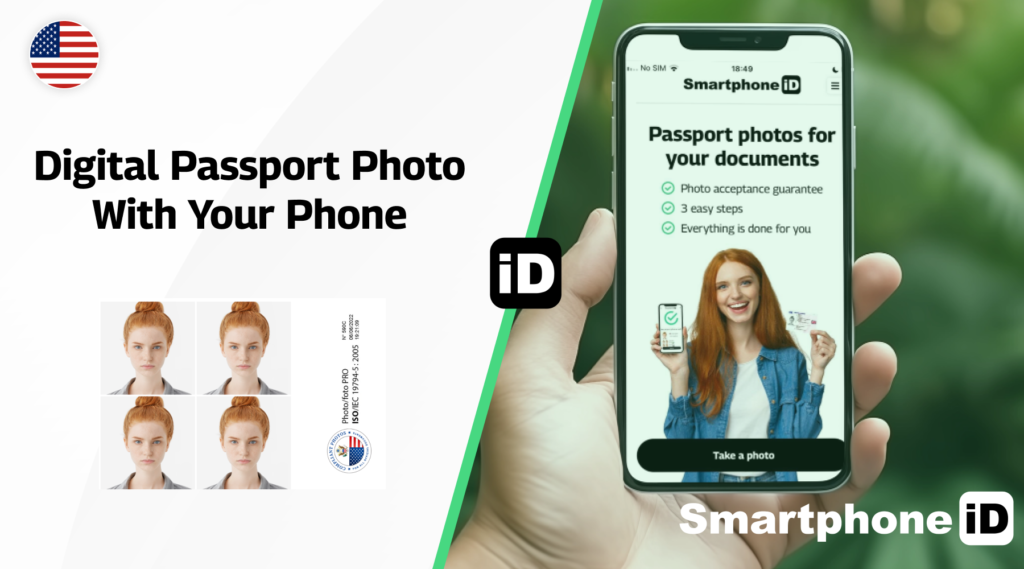
It’s never been easier to take identification document photos using your phone. If you want to join in with the hundreds of people taking Green card photos from the comfort of home, follow these steps:
- Use our online passport photo tool for quick and easy passport photo clicking the “Take a Photo” button.
- Smartphone iD
- Select which country you want to produce a photo for
- Select which document type you want the photo for (Passport, driving license, visa, etc.)
- Receive photos digitally via email, once our biometrics experts approve them
- Use these digital copies to print them yourself. Or, you can use our printing service to make it even easier
Summary
You don’t need to go to the store or pharmacy to get your Green card photos! Just use a Green card photo tool online or on your phone.
Even better, use an all-in-one service like ‘Smartphone iD‘. Easily take photos on your phone, get expert approval, and securely receive them through email in no time.
FAQ
Where can I get pictures for the Green Card lottery?
The easiest way to do this is by using ‘Smartphone iD’. You can take compliant pictures from home and get them approved by experts. We’ll send them to you via email. Government approval guaranteed, or your money back.
What should a green card photo look like?
You should follow the United States government’s requirements for a compliant photo. Scroll up to the requirements section to find out more.
Which app is best for DV lottery photo?
A great option is to use ‘Smartphone iD’, though if you’re not quite convinced, have a look at the table above to see the benefits.
Can I use a mobile photo for DV lottery?
You can! Just make sure it complies with the United States government’s requirements for Green card photos.
Sources
https://travel.state.gov/content/travel/en/passports/how-apply/photos.html
https://travel.state.gov/content/travel/en/us-visas/visa-information-resources/photos.html
https://dvlottery.me/dv-lottery-photo-checker
https://tsg.phototool.state.gov/photo


.bbc9bc36.svg)