Ultimate India Visa Photo Guide ( successfully approved )
This is the ultimate India Visa photo guidecontaining everything you need to know about how to apply for one and increase your success rate when doing so.
Last update:3/27/2025
Table of Contents
1 What are the Indian Visa Photo Requirements?
2 India Visa Photo Format Requirements?
4 How many passport photos do I need for an Indian visa?
5 How to upload a photo to an Indian visa application
6 How to check photo parameters on your device
7 What is the Duration of an India Visa Photo from the Capture Date?
10 Where to Get Indian Visa Photos Taken?
11 How to Take an India Visa Photo With Your Phone?
What are the Indian Visa Photo Requirements?
When making travel plans, it’s best to know all the details to have the greatest chance of success when it comes to your India Visa application. In addition to this, taking a compliant India Visa photo is important in this process.
If you’re not sure how to take the correct photo, you can use our Smartphone ID’. You will be guided through taking the photos from start to finish. Our experts will pre-approve your photos for an India Visa application. Scroll to the bottom to find out more!
India Visa Photo Format Requirements?
When applying for an India Visa, you should know that the Indian government uses an online eVisa system.This means that when you upload your photo it needs to have the correct format to be compliant with the Indian government’s regulations.India Visa Photo Format Requirements:
- Your photo should be a JPEG file type.
- When uploading your photo, it must be between 10KB and 300KB in file size.
- The photo must be a minimum of 350 pixels x 350 pixels
- The photo should not exceed 1000 pixels x 1000 pixels
If you’ve never uploaded a photo before, or are struggling to do so,try using our app ‘Smartphone iD’. We can make sure your photo is compliant with the Indian government’s photo requirements.
Indian Visa Photo Size
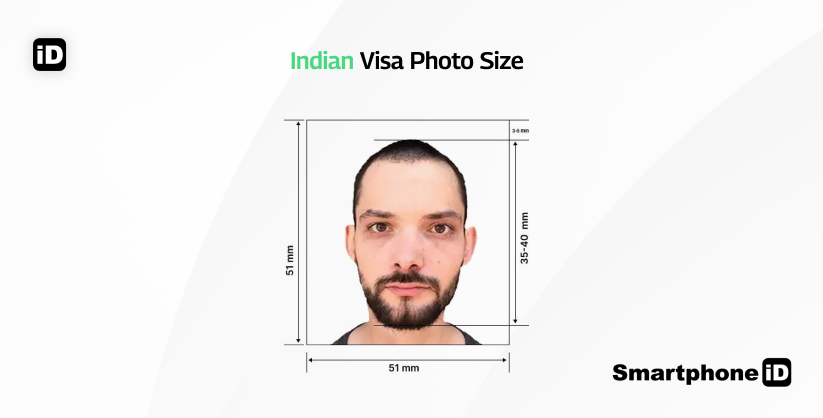
The Indian government require that you adhere to these size guidelines when sending in your India Visa application.
Physical photo requirements:
- Your photo must be 51mm x 51mm or 2 inches x 2 inches
- Make sure your head is between 35mm to 40mm in the photo, as well as centered.
Digital photo requirements:
- When uploading your photo, it must be between 10KB and 300KB in file size.
- The photo must be a minimum of 350 pixels x 350 pixels
- The photo should not exceed 1000 pixels x 1000 pixels
How many passport photos do I need for an Indian visa?
For an Indian visa application, you are required to submit one digital passport photo. This photo must meet the official Indian visa requirements.
How to upload a photo to an Indian visa application
To successfully upload your passport photo for an Indian visa, follow these steps:
- Prepare a compliant digital photo
- Ensure your photo meets the Indian visa specifications (e.g., minimum 350×350 pixels, JPEG format, plain white background).
- Use our online photo tool for guaranteed compliance.
2. Visit the Indian visa application portal
- Go to the official Indian e-Visa website at https://indianvisaonline.gov.in/evisa/ and start your application.
3. Locate the photo upload section
- When prompted, select the “Upload Photo” option in the application form.
4. Select and upload your photo
- Choose the correct digital passport photo file from your device and upload it.
- Ensure the image is not blurry, overexposed, or edited improperly, as this may lead to rejection.
5. Verify and submit
- Review the uploaded photo to confirm it meets all Indian visa requirements.
- If accepted, proceed with completing your application and submitting it for processing.
https://indianvisaonline.gov.in/visa/VSS_IMAGE.pdf
How to check photo parameters on your device
Before uploading your Indian visa photo, it’s important to ensure that it meets the official specifications. Here’s how you can check the parameters:
Photo size and format
- The digital photo must be at least 350×350 pixels and in JPEG format.
The file size should not exceed 1 MB.
On a computer
- Right-click the photo file.
- Select “Properties” (Windows) or “Get Info” (Mac).
- Check details like:
- Dimensions (width and height in pixels).
- File size (KB or MB).
- File format (JPEG, etc.).
On a mobile device
- Open the Gallery or Photos app.
- Tap on the photo.
- Look for photo info or details (via a three-dot menu or “i” icon).
- Check:
- Dimensions (pixels).
- File size.
To avoid errors, use the Smartphone iD photo tool to check compliance before submission.
What is the Duration of an India Visa Photo from the Capture Date?
To be able to identify you when you travel, the Indian government needsa recent photo for your eVisa.Additionally, you are most likely going to get your Indian Visa rejected if you use a photo that doesn’t resemble what you look like when you travel.
In light of this,you can follow these guidelines:
- Your photo should be no older than 6 months old
- Your photo should be an accurate likeness of you
Increase your chances of India Visa approval by following all the guidelines and recommendations.
Read More on the topic
How to Get an Indian Visa?
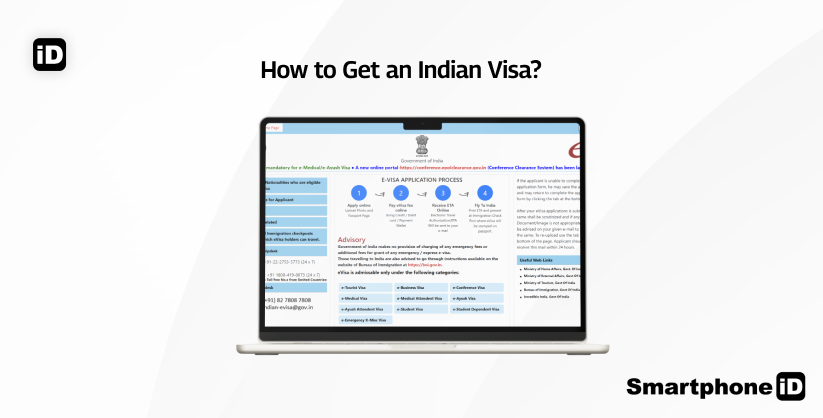
You can apply for an Indian Visa by going to the Indian government’s website. This is the direct way to apply, and you’ll pay the least amount of money for the application.
However, if you don’t have the time or don’t want to make the effort,you can apply through certain Indian Visa companies.These companies will charge the regular fee plus extra to pay for their services.
Most of these companies will also offer to expedite your Indian Visa application. Depending on how fast you want to receive your Indian Visa, you can pay between $30 USD to $300 USD.
Furthermore,once you have started your application you need to provide the Indian government with documents and details about yourself before you travel.
- Full name on Passport
- Date/Place of birth
- Address and contact information
- Passport details (Passport Number etc.)
- Nationality
- Applicant’s photo
- Passport personal details scan
- Last page of your Passport (if applicable)
Citizens who reside in the United States also must provide
- Marital status
- Occupation
- Your travel itinerary: where you will visit in India with addresses
- Your port of entry and port of exit (Airport names etc.)
- Countries you have been to in the last ten years
- Your religious beliefs
- Your education (qualifications)
There’s a lot of information required when applying for an Indian Visa. So save time and money when you take your Indian Visa photos.Use ‘Smartphone iD’ for a seamless and easy experience.You’llreceive pre-approved Indian Visa photos via email, compliant with national requirements.
Indian Visa Cost
There are a few types of Indian Visa, so depending on which one you choose, the cost will vary. These prices are if you apply directly from the Indian government’s website.
1 Month (30 day) eVisa With Double Entry (April-June): $10 USD
This is a standard Indian eVisa. The visa is a digital document.
1 Month (30 day) eVisa With Double Entry (July-March): $25USD
This is the high season for holidaymakers, so the prices increases.
1-Year (365 days) eVisa With Multiple Entries: $40 USD
There is a slight increase in price, due to the increase in the time your eVisa will be valid.
5-Year eVisa With Multiple Entries: $80 USD
Again, there is a further increase in price, as this is the five-year eVisa.
Where to Get Indian Visa Photos Taken?
There are so many options when you need to get an Indian Visa photo, it’s hard to know what to choose. Let’s break it down a bit.
You can get a photo taken at most convenience stores and pharmacies:
- Post offices offer to take your photo and print it too (make an appointment online)
- Walgreens can offer a photo service for $16.99 USD, photo and print in-store
- CVS offer a photo service in select locations for $16.99 USD, photo and print in-store
You can use a physical printed photo for your Indian Visa, you just need to scan it to be able to digitally upload it to the Indian government’s website.However,it would be much more useful for you if you get a digital photo for your Indian Visa application. This is because the application takes place online, and you have to upload your photo.
With Smartphone iD you can receive digital photos that arepre-approved by biometrics experts. Our app makes sure your photo will be compliant with national requirements. We charge a small fee for our services.
How to Take an Indian Visa Photo With Your Phone?
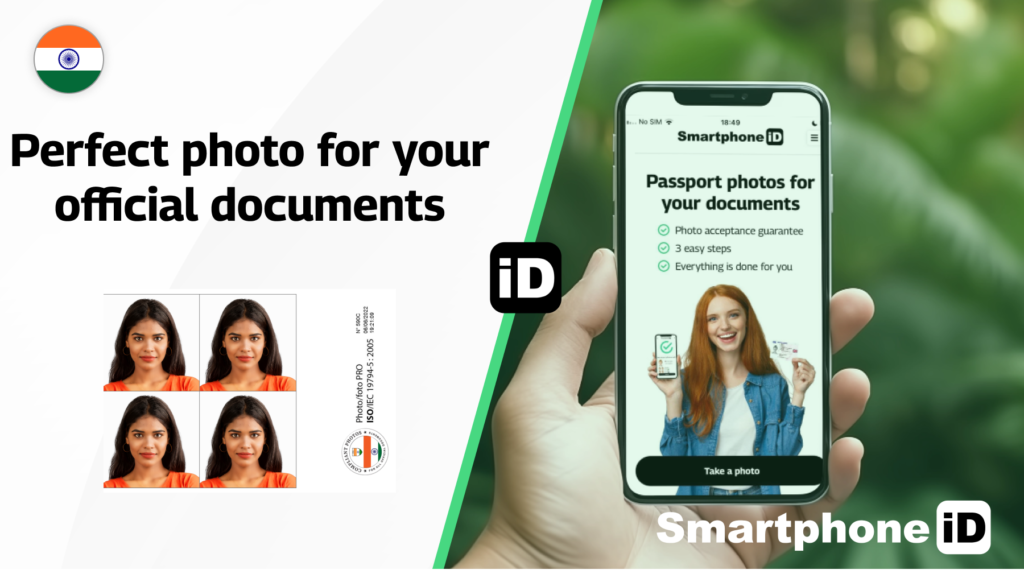
Apply for an Indian Visa the easy way, with ‘Smartphone iD’.Check out the steps below for a simple solution to taking your Indian Visa photo.
- Use our online passport photo tool Smartphone iD from the Apple or Google Play Store, or conveniently use our online web app by clicking the "Take a Photo" button
- Select which country you need Passport photos for “India”
- Select your document type, your photo will be made compliant for this document (visa)
- You’ll receive your photos digitally through email, after our experts have certified them
- You can use these digital copies for uploading to the Indian government’s website or print them out if needed. Alternatively, you can use our professional-grade printing service (if you need physical copies)
Our trusted and secure service is quick and easy. Remember, we guarantee government approval or your money back.
Summary
There may be a lot running through your mind when applying for an Indian Visa, on top of everything else!
Take the weight off your shoulders by using ‘Smartphone iD‘ for your Indian Visa photos.
FAQs
What’s the Indian visa photo size in pixels?
The minimum required size is350×350 pixels, in asquare formatandJPEG file type.
What are the common reasons for Indian visa photo rejection?
- Incorrect size or format
- Shadows or uneven lighting
- Smiling, tilting head, or unnatural expression
- Background not plain white
- Glasses, hats, or unauthorized head coverings
- Blurry or pixelated image
Can I edit or retouch my Indian visa photo?
No, digital enhancements, background removal, or excessive retouching may lead to rejection. The photo must be original and unmodified.
Does Walgreens do Indian visa photos?
Yes,Walgreens offers Indian passport and visa photos.
Where can I get a compliant Indian visa photo taken?
Ouronline serviceprovides anAI-powered visa photo toolthat ensures your photo meets all official guidelines. The service includeshuman verificationfor accuracy.
Are Indian and U.S. visa photo requirements similar?
No, there are key differences:
- Size: U.S. visa photos require 2×2 inches (600×600 pixels), while Indian visa photos require at least 350×350 pixels.
- Background: U.S. visa photos allow off-white, while Indian visa photos must be plain white.
- Glasses: U.S. visa photos allow glasses in some cases, but Indian visa photos do not permit them.
What are the clothing guidelines for an Indian visa photo?
- Wear normal, everyday clothing.
- Avoid white shirts that blend into the background.
- Uniforms and camouflage attire are not allowed.
What background color is acceptable for an Indian visa photo?
The background must beplain white, with no patterns, shadows, or objects.
Are eyeglasses allowed in an Indian visa photo?
No,glasses are not permitted, even if they are clear and non-reflective.
Can I wear a head covering in my Indian visa photo?
Head coverings are only allowed for religious reasons, but the face must be fully visible from forehead to chin.
Where can I find the official Indian visa photo guidelines?
You can find the official Indian visa photo guidelines on theIndian Government’s official visa website: https://indianvisaonline.gov.in/. Always check for updates before submitting your application.
Does CVS do Indian visa photos?
CVS mainly offersU.S. passport and visa photos. Some locations may provideIndian visa photos, but it is recommended to use aspecialized online visa photo toolfor accuracy.
Can I use a Passport photo for an Indian Visa?
Yes, you can. Your Passport photo must adhere to the guidelines that the Indian government mandate.
How can I get an Indian Visa photo at home?
You can use our app ‘Smartphone iD‘. Simply open and take pictures at home, and you’ll get pre-approved digital photos in no time at all.
How long does an India Visa take?
It depends. The Indian government says it takes a minimum of three working days. You can pay to expedite your Indian Visa though.
Is Indian Visa open?
At the moment, you can get tourist Visas as well as business and medical Indian Visas. So India as a country is very much open right now.
Sources
https://indianvisaonline.gov.in/visa/VSS_IMAGE.pdf
https://indianvisaonline.gov.in/evisa


.bbc9bc36.svg)