Little known ways to get an australia visa photo in 2025
Quick read - for people in a hurry
- Australian visa photos must be 35–40 mm wide × 45–50 mm high, with the head measuring 32–36 mm.
- Background must be plain white or light grey, and the photo must be clear, high resolution, and taken within the last 6 months.
- Keep a neutral expression — no smiling, no glasses (unless for medical reasons), and no accessories or shadows on the face.
- Baby visa photos follow the same rules, but eyes may be partly open; no pacifiers, toys, or parents’ hands visible.
- For online applications (ImmiAccount), digital photos must be in JPEG/PNG format, max 2MB, at least 600 × 900 pixels, and in color.
- Photos can be taken with the Smartphone iD app, which guarantees compliance and allows instant digital upload for visa applications.
Do you know the easiest and quickest way to get an Australian visa photo? In this article, you’ll find all the information you need! A key part of a successful visa application is providing a compliant photo that the government will accept. Keep reading to discover the best and most reliable ways to get your photo.
Last update: 09/30/2025
Table of contents
1. Australia Visa Photo Requirements
2. How to take an Australian visa photo online
3. How to Upload an Australian Visa Photo online
4 Take Your Australia Visa Photo With Your Phone
Australia visa photo requirements
Following the requirements is key to getting a successful visa photo for your application. With the proper guidance, you’ll be able to get the perfect visa photo in no time at all. Check out the requirements below.
Size and Dimensions
The first thing to know is the size. An Australian visa photo must measure 35–40 mm wide by 45–50 mm high.
Your head size — from the bottom of your chin to the top of your crown — must be between 32 mm and 36 mm
Background
The background must be plain white or light grey, with no patterns, textures, or objects visible. It should be completely clear and contrast with your clothing. Shadows on the wall are not allowed. If you’re taking it at home, use a white wall or hang a light sheet behind you.
Photo Quality
Your photo needs to be sharp, clear, and in focus. No blurriness, no pixelation, and no grain. The color must be natural and represent your true skin tone. Avoid using filters or editing software to “touch up” your face — no retouching of scars, wrinkles, or marks is permitted. The photo has to be printed on high-quality photo paper with a matte or semi-matte finish, never on an inkjet printer.
Head Position and Expression
Sit facing the camera directly, with your head straight and centered in the frame. Don’t tilt your head or turn it sideways. Keep a neutral expression — that means no smiling, no frowning, and no raised eyebrows. Your mouth should stay closed and your eyes must be open, looking straight at the camera.
Hair
Your hair must not cover your face or eyes. If you have bangs, make sure they don’t hang over your eyebrows. Long hair should be tucked behind your ears or pulled back so your cheeks and jawline are visible. The goal is for your entire face, from the chin to the crown, to be clearly shown.
Makeup
Makeup is allowed, but it should be natural. Avoid heavy foundation, glitter, or shiny powders that can cause reflections. Bright lipstick or dramatic eye makeup isn’t recommended either, as the photo must look like your everyday appearance. Think “fresh, natural look” rather than “glam photo shoot.”
Accessories and Jewellery
Passport photos must be simple. Large earrings, shiny necklaces, or anything that reflects light should be avoided. Jewellery is fine only if it doesn’t hide your features or create glare. Headphones, hairbands, or any decorative accessories are not allowed.
Head Coverings
Hats and head coverings are not allowed, except if they are worn daily for religious or medical reasons. If you do wear one, it must be plain and cannot obscure any part of your face. Your forehead, cheeks, eyes, and chin must all be fully visible.
Glasses
Wearing glasses is strongly discouraged, but if you must wear them for medical reasons, there are strict rules. The frames cannot cover your eyes, there can’t be any glare on the lenses, and tinted or colored lenses are not accepted. Sunglasses are strictly forbidden.
Clothing
Choose everyday clothes in darker or mid-tone colors so you don’t blend in with the light background. Avoid white or very light tops. Uniforms and camouflage clothing are not permitted. Clothes should be free of distracting logos, patterns, or offensive text.
Lighting
The photo must be evenly lit across your face and background. No harsh shadows, no glare, and no uneven brightness. Natural daylight works best, but if you’re indoors, place the light in front of you, not behind or above. The lighting should make your skin tone look natural and your features clearly visible.
Australia visa photo requirements for a baby
The requirements for Australian baby or infant visa photos are largely the same except for:
Baby’s appearance
- Ensure your baby’s face is entirely visible in the photo
- No other person (parent) should be visible in the photo
- Make sure no objects (pacifiers) are obscuring the baby’s face
Baby’s posture
- It is acceptable if the baby’s eyes are partially open.
- Make sure the baby has a neutral expression
Australian baby visa photo size
To get an Australian baby visa photo, you can use, follow the same size requirements for the adult visa.
How to take an Australian visa photo online?
Let’s take a look at some options you can choose to take an Australia visa photo online:
- idphoto4you: Produce a visa photo for your travels. You can crop your photo once uploaded, though there is no check for compliance.
- Smartphone iD App: If you want to create approved visa photos for your visa using your smartphone, you can receive them via email or post. Smartphone iD offers a government approval guarantee as well as providing a full refund if, for some reason, they’re not accepted.
How to upload an Australian visa photo online
Uploading an Australian visa photo is a straightforward process when you apply online through the Australian Government's ImmiAccount system. Here's what you need to know:
Step-by-Step Upload Process
- Log in to ImmiAccount: Access your ImmiAccount on the Department of Home Affairs website
- Start your visa application: Select the visa type you're applying for
- Navigate to the photo upload section: Follow the prompts until you reach the document upload page
- Select your photo file: Click "Browse" or "Choose File" to select your digital passport photo
- Upload the file: Ensure the file meets the size and format requirements
- Review and confirm: Check that the photo displays correctly before submitting
Digital Photo Requirements for Australian Visa
- File format: JPEG (.jpg) or PNG
- File size: Maximum 2MB
- Resolution: Minimum 600 x 900 pixels
- Color: Must be in color (not black and white)
- Recent: Taken within the last 6 months
- Background: Plain white or light-colored background
Common Upload Issues and Solutions
- File too large: Compress your image using online tools or photo editing software
- Wrong format: Convert your photo to JPEG or PNG format
- Upload fails: Try a different browser or clear your cache
- Photo rejected: Ensure it meets all specification requirements
Take your Australian visa photo with your phone
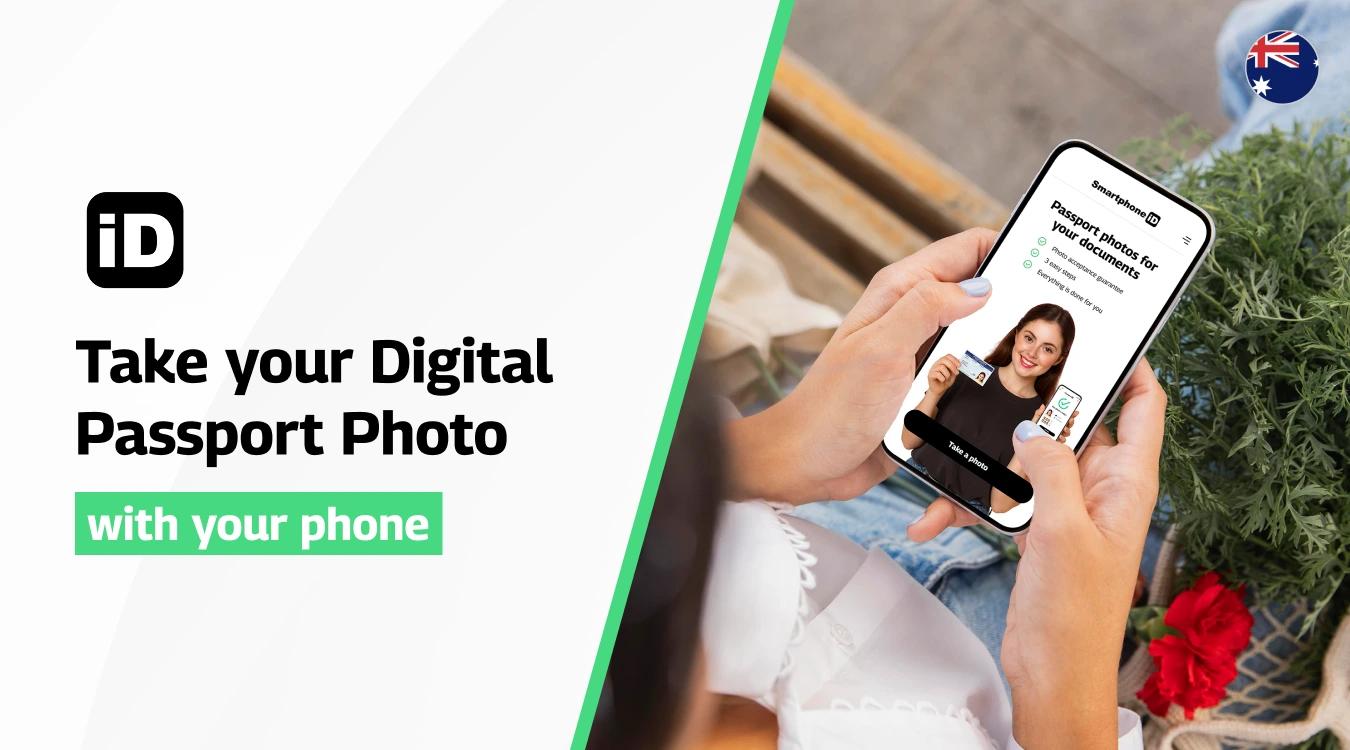
If you’re looking for a photo that fully meets the Australian visa photo requirements set by the Department of Home Affairs, the Smartphone iD visa photo maker is the easiest option. With our app, you can take your own photo at home and have it automatically formatted into the official Australian visa photo size (35 mm × 45 mm) with the face correctly adjusted to 32–36 mm from chin to crown.
Your photo will be straightened, cropped, and background-corrected (plain white or light grey, as required), and checked to ensure it is in color, high resolution, and taken within the last 6 months.
After a final AI and expert compliance check, your photo will be delivered digitally to your email, ready to upload with your visa application.
If you prefer a physical copy, Smartphone iD also offers a professional printing service on compliant photo paper, shipped directly to your home anywhere in Australia. And for peace of mind, if the Australian visa office rejects your photo for any reason, we provide a 100% money-back acceptance guarantee.
Here are some tips to get you started:
- Make sure to remove your glasses or any accessories covering your face.
- Ensure that no shadows are covering your face (even lighting across your face).
- Keep a neutral expression whilst keeping the camera at eye level.
- Take your photo, then follow the instructions in the Smartphone iD app.
Summary
It has never been easier to get an Australian visa photo. You can even do it from home, or wherever is convenient for you. This is because you can use a professional visa photo app to get everything sorted.
However, not all visa photo apps are created equal. So make sure you choose one that has expert compliance checks, digital or postal delivery with a competitive, low-cost option, like Smartphone iD!
Thinking about getting smartphone ID?
Sources
https://www.passports.gov.au/PhotoGuidelines
https://immi.homeaffairs.gov.au/visas/getting-a-visa/visa-listing


.bbc9bc36.svg)